การจัดการรหัสผ่านที่ง่ายดายและสะดวก
- เก็บรหัสผ่าน พาสคีย์ บัตร และบันทึกในห้องเก็บความลับเดียว
- แบ่งปันการเข้าสู่ระบบและข้อมูลที่ละเอียดอ่อนอื่นๆ กับผู้คนที่คุณไว้ใจอย่างปลอดภัย
- เข้าถึงบัญชีของคุณได้อย่างรวดเร็วด้วยการเติมข้อมูลอัตโนมัติและการยืนยันตัวตน
เริ่มต้นใช้งานดาวน์โหลด ExpressKeys
การรับประกันคืนเงิน 30 วัน สำหรับผู้ใช้งานครั้งแรก
พร้อมใช้งานบน Android และ iOS
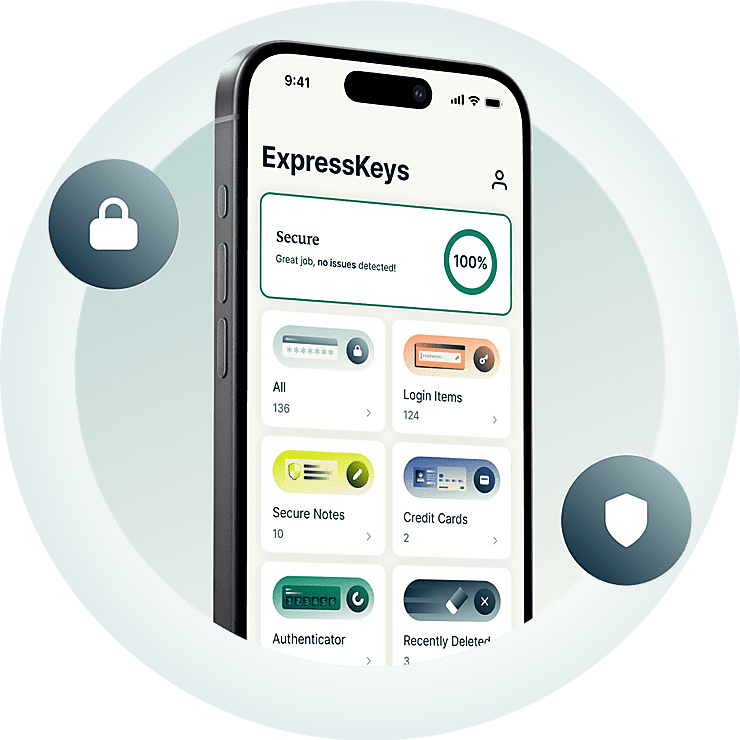



ExpressKeys ในการใช้งานจริง
การปกป้องบัญชีของคุณไม่เคยง่ายขนาดนี้มาก่อน ดูความรวดเร็วในการตั้งค่า ExpressKeys และไม่ต้องใช้รหัสผ่านที่อ่อนแออีกต่อไป

ทำไมต้อง ExpressKeys?
อัปเกรดการปกป้องรหัสผ่านของคุณ อัปเกรดความสบายใจของคุณ
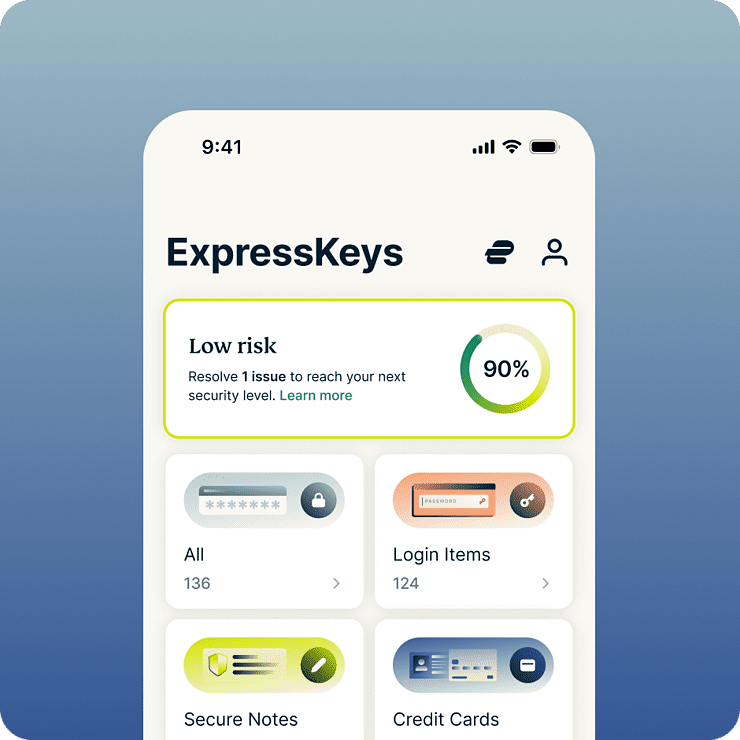
ประหยัดเวลาและลดความเครียดทุกวัน
ExpressKeys จะเพิ่มความคล่องตัวให้เกือบทุกอย่างที่คุณทำบนโลกออนไลน์ ตั้งแต่การลงชื่อเข้าใช้บัญชีโซเชียลไปจนถึงการชำระเงินที่ร้านโปรดของคุณ ด้วยการป้อนอัตโนมัติและการปลดล็อกด้วยไบโอเมตริกซ์ทำให้การลงชื่อเข้าใช้และการซื้อกลายเป็นเรื่องง่าย และเนื่องจากทุกอย่างถูกเก็บไว้ในห้องนิรภัยที่ถูกเข้ารหัสของคุณ คุณจึงสบายใจได้ว่าจะมีเฉพาะคุณเท่านั้นที่สามารถเข้าถึงมันได้
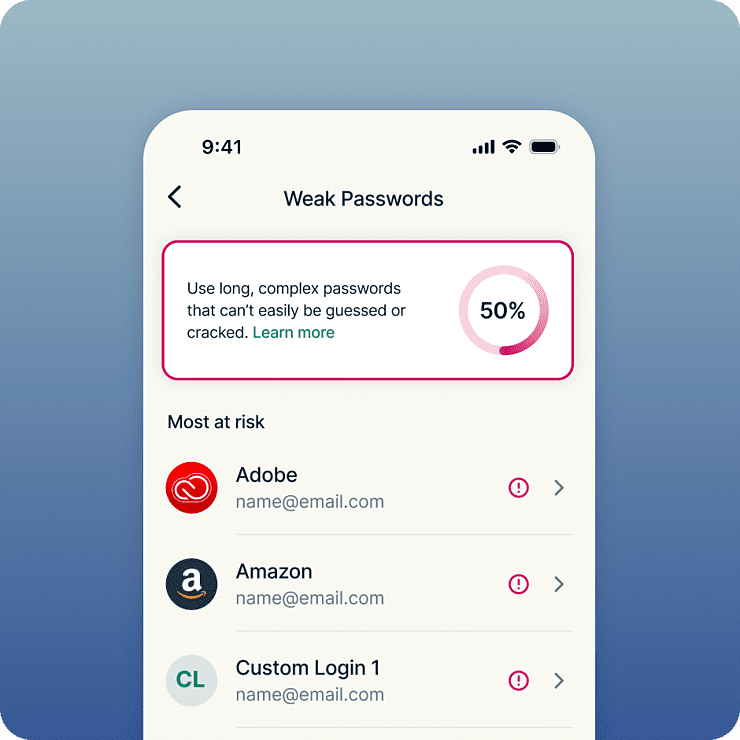
ป้องกันการโจรกรรมข้อมูลและการแฮ็ก
ExpressKeys ทำให้การรักษาความปลอดภัยรหัสผ่านแบบเชิงรุกกลายเป็นเรื่องง่าย มันจะปักธงรหัสผ่านที่อ่อนแอและมีการใช้ซ้ำเพื่อทำให้สามารถแทนที่รหัสผ่านที่มีความเสี่ยงด้วยรหัสผ่านที่แข็งแกร่งและไม่ซ้ำใครได้ง่ายขึ้น ข้อมูลห้องนิรภัยของคุณจะได้รับการปกป้องโดยการเข้ารหัส 256 บิต AES ซึ่งได้รับความไว้วางใจจากธนาคาร โดยใช้สถาปัตยกรรมแบบ zero-knowledge ซึ่งหมายความว่าแม้แต่พวกเราก็ไม่สามารถเข้าถึงห้องนิรภัยของคุณได้
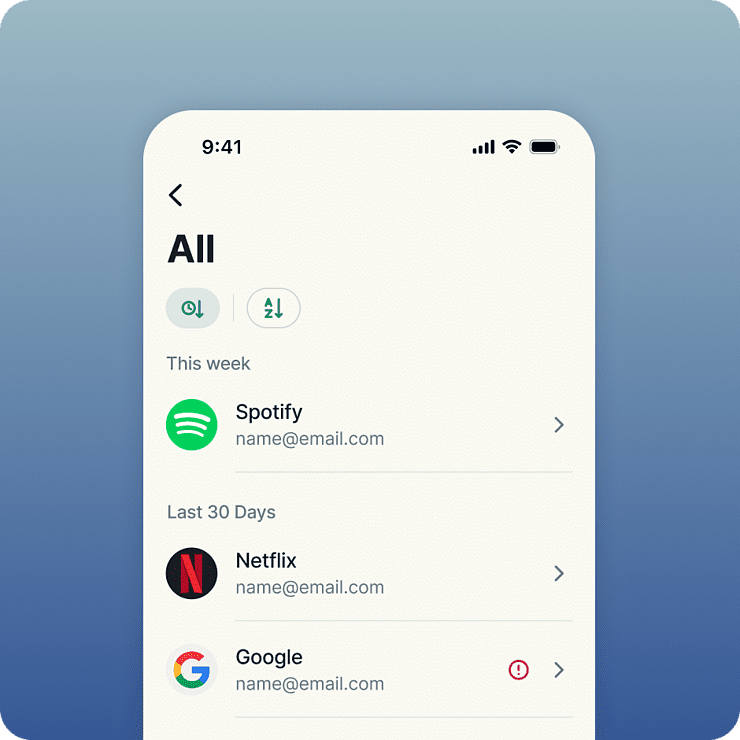
ถูกสร้างโดยผู้เชี่ยวชาญด้านความเป็นส่วนตัวและความปลอดภัย
ExpressKeys มาจากทีมงานด้านความเป็นส่วนตัวและความปลอดภัยที่อยู่เบื้องหลัง ExpressVPN ข้อมูลของคุณจะได้รับการป้องกันด้วยคีย์การเข้ารหัสที่ถูกสร้างบนอุปกรณ์ของคุณ หมายความว่ารหัสผ่านห้องนิรภัยของคุณจะถูกใช้งานเฉพาะในเครื่อง ไม่ถูกส่งออกไปไหน Codebase ของห้องนิรภัยถูกเขียนในภาษา Rust เพื่อช่วยป้องกันช่องโหว่จากการโจมตีผ่านหน่วยความจำ และมันก็ผ่านการตรวจสอบอย่างอิสระมาแล้วหลายครั้งเพื่อช่วยเพิ่มความมั่นใจ
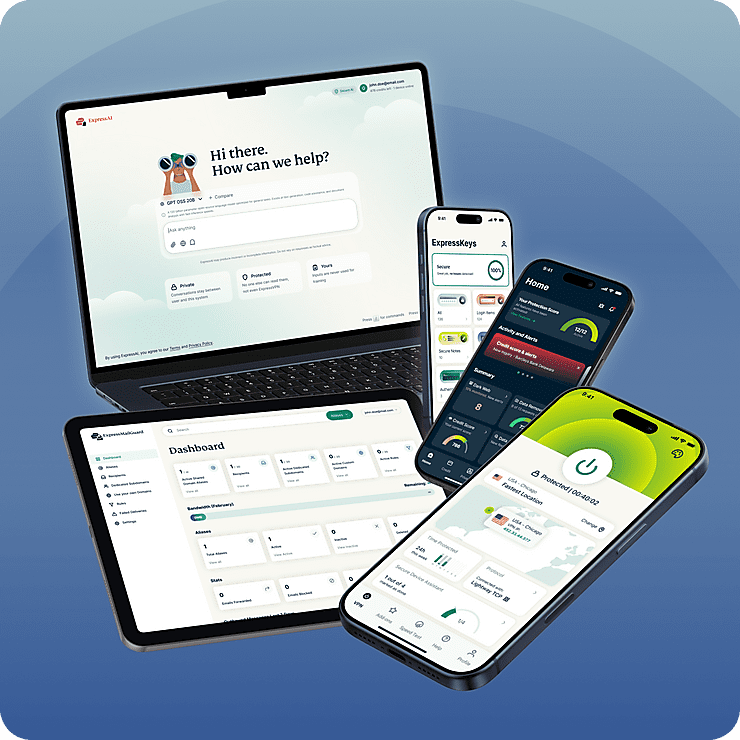
แผนเดียวช่วยคุ้มครองความเป็นส่วนตัวดิจิทัลได้ครบครัน
ExpressKeys เป็นส่วนหนึ่งของชุดเครื่องมือความเป็นส่วนตัวดิจิทัลใหม่ของ ExpressVPN ปกป้องอินเทอร์เน็ตของคุณด้วย VPN ที่ไว้วางใจได้และอัปเกรดความเป็นส่วนตัวให้กล่องข้อความขาเข้าของคุณด้วย ExpressMailGuard ทั้งหมดนี้ภายในการสมัครสมาชิกบัญชีเดียว ทุกอย่างทำงานร่วมกันได้อย่างไร้รอยต่อบนทุกอุปกรณ์ของคุณ นี่คือฮับความเป็นส่วนตัวครบวงจรสำหรับโลกดิจิทัลยุคปัจจุบัน
คุณสมบัติของ ExpressKeys
เข้ามาดูว่าตัวจัดการรหัสผ่านที่ฉลาดกว่านั้นเป็นยังไง
-
พื้นที่จัดเก็บข้อมูลไม่จำกัด
สร้างห้องนิรภัยของคุณโดยไม่ต้องกังวลว่าพื้นที่จะเต็ม พื้นที่จัดเก็บไม่จำกัดเป็นตัวเลือกเดียวที่พวกเรามีให้ ดังนั้นจะไม่มีการจำกัดจำนวนรหัสผ่าน บันทึกปลอดภัย และบัตรเครดิตที่คุณสามารถเก็บใน ExpressKeys
-
สุขภาพของรหัสผ่านสำหรับการป้องกันเชิงรุก
ดูว่ารหัสผ่านไหนบ้างที่มีความเสี่ยง อ่อนแอ ใช้ซ้ำ หรือรั่วไหลออกไปแล้ว และรับคำแนะนำที่ชัดเจนเพื่อป้องกันไม่ให้บัญชีของคุณถูกขโมย รู้ว่ารหัสผ่านไหนที่ต้องแก้ไข และสามารถดำเนินการได้อย่างรวดเร็ว
-
ระบบยืนยันตัวตนสองชั้น (2FA) ภายในตัว
สร้างรหัสผ่านแบบใช้ครั้งเดียวตามเวลา (TOTP) เพื่อเพิ่มความปลอดภัยให้ข้อมูลการเข้าสู่ระบบที่ถูกเก็บเอาไว้ สำหรับการลงชื่อเข้าใช้ที่เร็วและปลอดภัยกว่าบนทุกอุปกรณ์ ลืมการใช้แอปยืนยันตัวหลาย ๆ แอปไปได้เลย ExpressKeys มีโซลูชันที่รวมทุกอย่างมาให้แล้ว
-
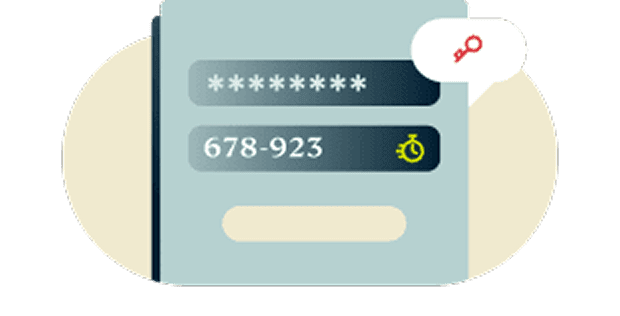
การเข้ารหัสแบบ zero-knowledge ทำให้คุณเป็นผู้ควบคุม
ข้อมูลของคุณจะถูกถอดรหัสได้โดยการใช้รหัสผ่านห้องนิรภัยของคุณซึ่งก็จะมีเพียงแค่คุณเท่านั้นที่รู้ หรือใช้ไบโอเมตริกซ์ซึ่งก็มีคุณใช้ได้เพียงผู้เดียว หรือให้อธิบายอีกทางหนึ่งก็คือ ข้อมูลที่คุณเก็บเอาไว้นั้นจะมีความปลอดภัยมากถึงขั้นที่พวกเราเองก็ไม่สามารถเปิดดูได้
-
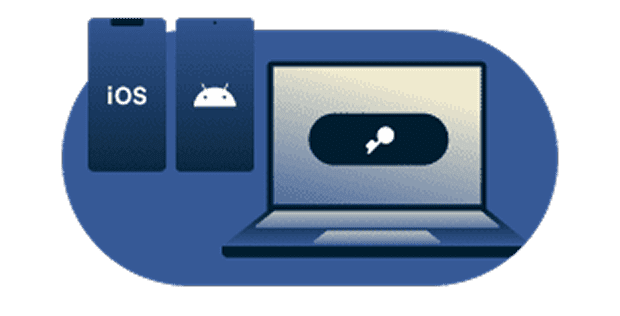
ซิงค์อย่างปลอดภัยเพื่อใช้งานบนทุกอุปกรณ์ที่คุณชื่นชอบ
รับการป้องกันบนทุกอุปกรณ์ที่คุณใช้งาน ExpressKeys มีแอปสำหรับ iOS และ Android รวมถึงมีส่วนขยายเบราว์เซอร์สำหรับ Chrome, Safari และ Edge เข้าถึงข้อมูลการเข้าสู่ระบบของคุณได้อย่างง่ายดายและปลอดภัยไม่ว่าคุณจะอยู่ที่ไหน
-
ตั้งค่าและนำเข้ารหัสผ่านได้ง่าย
เคลื่อนย้ายข้อมูลการเข้าสู่ระบบที่บันทึกไว้จากตัวจัดการรหัสผ่านและเบราว์เซอร์ยอดนิยม ซึ่งรวมถึง LastPass, 1Password, Dashlane, iCloud Keychain และเบราว์เซอร์ คุณจะสามารถเริ่มใช้ ExpressKeys ได้ภายในไม่กี่นาที
ผู้ใช้งาน ExpressVPN Keys รายปัจจุบันจะสามารถนำเข้ารหัสผ่านที่บันทึกไว้ไปยัง ExpressKeys ได้ด้วยตอนที่ย้ายไปใช้งานแอปใหม่
เริ่มต้นใช้งาน ExpressKeys
เพลิดเพลินกับประสบการณ์การใช้ ExpressKeys ที่ผ่านการอัปเกรดมาแล้วได้ภายในไม่กี่ขั้นตอนง่าย ๆ
-
ขั้นตอนที่ 1
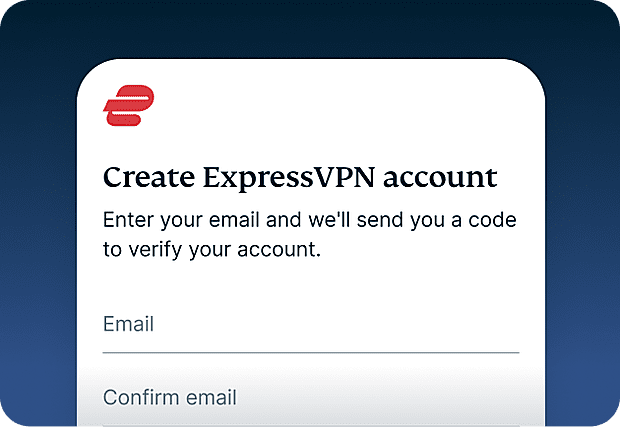
สมัครใช้งาน ExpressVPN
ปัจจุบันต้องมีการสมัครสมาชิก ExpressVPN เพื่อที่จะใช้งาน ExpressKeysสมัครใช้งาน ExpressVPN และเริ่มใช้งานวันนี้เลย
-
ขั้นตอนที่ 2
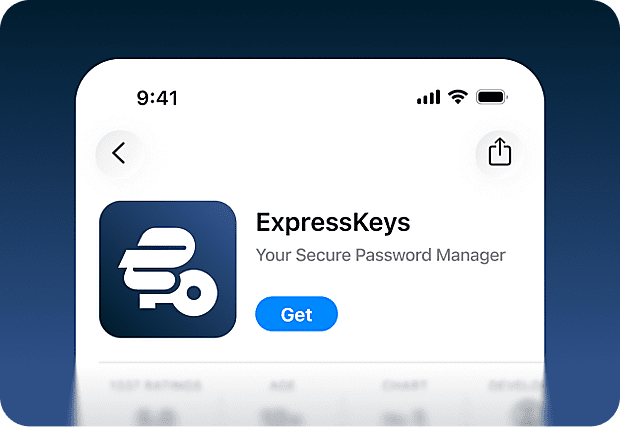
ดาวน์โหลดแอป ExpressKeys
ดาวน์โหลดแอป ExpressKeys จาก App Store และ Google Play Store นอกจากนี้ก็ยังมีส่วนขยายสำหรับ Chrome, Edge, และ Brave ที่คุณสามารถใช้บนเดสก์ท็อปได้อีกด้วย
-
ขั้นตอนที่ 3
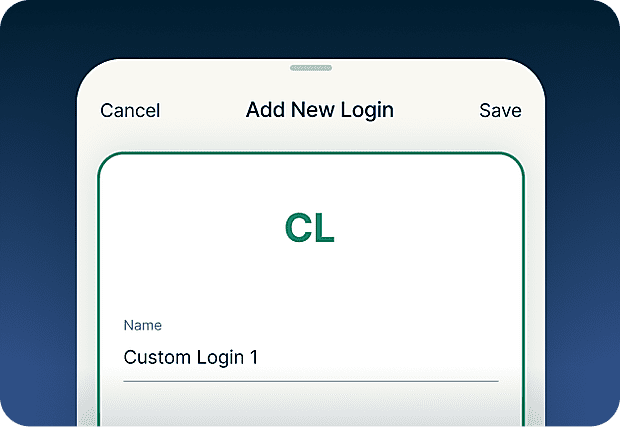
เพิ่มหรือนำเข้ารหัสผ่าน
จัดเก็บรหัสผ่าน บันทึก และรายละเอียดบัตรเครดิตไว้ในห้องนิรภัยที่มีความปลอดภัยของคุณ คุณยังสามารถใช้เครื่องมือนำเข้าเพื่อซิงค์ข้อมูลการเข้าสู่ระบบที่เพิ่มเอาไว้ในเครื่องมืออื่นได้ด้วย
-
ขั้นตอนที่ 4
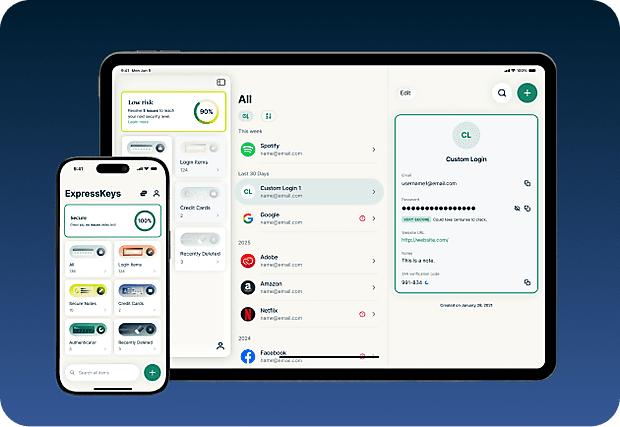
ซิงค์อย่างปลอดภัยกับอุปกรณ์เครื่องต่าง ๆ ของคุณ
ติดตั้งแอปบนอุปกรณ์หลาย ๆ เครื่อง และรหัสผ่าน บันทึก และรายละเอียดบัตรที่คุณจัดเก็บเอาไว้ก็จะถูกซิงค์บนทุกอุปกรณ์โดยอัตโนมัติ ใช้งานได้ไม่ว่าคุณจะอยู่ที่ไหน!
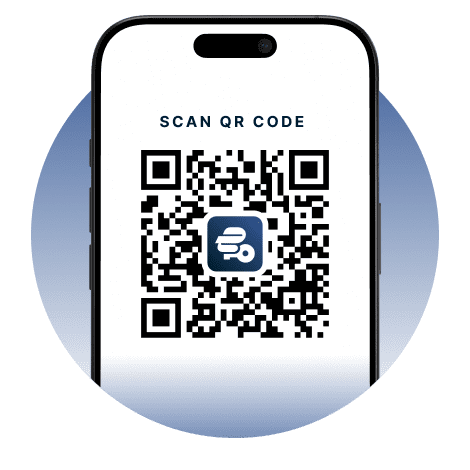
ตั้งค่า ExpressKeys บนอุปกรณ์มือถือของคุณ
เข้าไปที่ App Store, Play Store หรือสแกนโค้ดด้วยมือถือเพื่อดาวน์โหลด


คำถามที่พบบ่อย : เกี่ยวกับ ExpressKeys
เรียนรู้เพิ่มเติมเกี่ยวกับ ExpressKeys และเปลี่ยนมาใช้งานได้อย่างมั่นใจ
ExpressKeys คืออะไร?
ExpressKeys เป็นตัวจัดการรหัสผ่านที่มีความปลอดภัยซึ่งจะจัดเก็บรหัสผ่าน บัตร และบันทึกของคุณเอาไว้ในห้องนิรภัยที่ถูกเข้ารหัส มันสามารถใช้งานได้ทั้งบนอุปกรณ์มือถือและเบราว์เซอร์ ทำให้คุณสามารถลงชื่อเข้าใช้ได้อย่างรวดเร็วด้วยการป้อนอัตโนมัติ ก่อนหน้านี้มันเคยมีชื่อว่า ExpressVPN Keys แต่ตอนนี้มันได้ผ่านการอัปเกรดมาเป็นแอปแบบสแตนด์อโลนแล้ว
ExpressKeys เป็นส่วนหนึ่งของการสมัครสมาชิก ExpressVPN หรือไม่?
ExpressKeys นั้นจะถูกรวมอยู่ใน ExpressVPN ขั้นสูงและโปร คุณจะต้องมีการสมัครสมาชิก ExpressVPN ที่ยังไม่หมดอายุ เพื่อที่จะตั้งค่ามันในครั้งแรก แต่โปรดทราบว่าคุณจะสามารถเข้าถึงข้อมูลที่คุณเก็บไว้ใน ExpressKeys ได้ถึงแม้ว่าการสมัครสมาชิก ExpressVPN ของคุณจะหมดอายุแล้วก็ตาม
ExpressKeys ปลอดภัยขนาดไหน?
ExpressKeys ปลอดภัยมาก ๆ เพราะว่าห้องนิรภัยของคุณจะถูกเข้ารหัสด้วยคีย์ที่ถูกสร้างบนอุปกรณ์ของคุณ และรหัสผ่านห้องนิรภัยของคุณก็จะไม่ถูกส่งออกไปนอกอุปกรณ์ ดังนั้นจะมีแค่คุณเท่านั้นที่เข้าถึงข้อมูลที่คุณบันทึกเอาไว้ได้
ฉันสามารถนำเข้ารหัสผ่านจากตัวจัดการอื่น ๆ ได้หรือไม่?
ได้ คุณสามารถนำเข้ารหัสผ่านจากตัวจัดการรหัสผ่าน อย่าง LastPass, 1Password, Dashlane, iCloud Keychain และตัวจัดการบนเบราว์เซอร์ส่วนใหญ่ ทำตามคู่มือสอนแบบทีละขั้นตอนสำหรับตัวจัดการรหัสผ่านที่คุณใช้อยู่
ExpressKeys รองรับรหัส 2FA หรือไม่?
ได้ คุณสามารถใช้ ExpressKeys เป็นแอป authenticator เพื่อสร้างรหัสผ่านแบบใช้ครั้งเดียว (OTP) เมื่อคุณลงชื่อเข้าใช้บัญชีที่สามารถใช้งานเข้ากับระบบยืนยันตัวตนสองชั้น (2FA) ได้
ฉันควรจะใช้เบราว์เซอร์เป็นตัวจัดการรหัสผ่านหรือไม่?
การบันทึกรหัสผ่านไว้ในเบราว์เซอร์อย่าง Chrome, Safari, Firefox และ Opera อาจจะสะดวก แต่มันไม่ปลอดภัย อย่างแรกเลย ใครก็ตามที่สามารถใช้อุปกรณ์ของคุณได้ ก็จะเข้าถึงรหัสผ่านของคุณได้ด้วย รหัสผ่านที่คุณบันทึกเอาไว้อาจจะถูกละเมิดถ้าเว็บเบราว์เซอร์ถูกแฮ็กหรือติดมัลแวร์
ExpressKeys ป้องกันการฟิชชิงอย่างไร?
ExpressKeys จะป้อนอัตโนมัติเฉพาะเมื่อโดเมนของเว็บไซต์ตรงกับที่คุณบันทึกเอาไว้ในห้องนิรภัย นี่จะช่วยป้องกันการกรอกรหัสผ่านบนเว็บไซต์ปลอมหรือเว็บไซต์ที่หน้าตาดูคล้ายกันซึ่งพยายามขโมยข้อมูลการเข้าสู่ระบบของคุณ
ฉันจะโอนย้ายรหัสผ่านจาก ExpressVPN Keys เก่าที่เคยใช้ได้อย่างไร?
ดาวน์โหลดและติดตั้งแอป ExpressKeys ถ้าคุณลงชื่อเข้าใช้แอป ExpressVPN และเคยใช้ ExpressVPN Keys บนเครื่องปัจจุบัน คุณก็จะถูกลงชื่อเข้าใช้ ExpressKeys โดยอัตโนมัติ ปลดล็อก ExpressKeys แล้วคุณจะเจอข้อมูลการเข้าสู่ระบบ บัตรเครดิต และบันทึกปลอดภัยทั้งหมดที่คุณเคยจัดเก็บเอาไว้อยู่ในแอปใหม่
How to transfer my passwords from the old ExpressVPN Keys
Download and install the ExpressKeys app. If you are signed into the ExpressVPN app and have used ExpressVPN Keys on your current device, you will be automatically signed into ExpressKeys. Unlock ExpressKeys and you will find all your existing logins, credit cards, and secure notes in the new app.
รับการทดลองใช้ ExpressKeys อย่างไม่มีความเสี่ยงสำหรับผู้ใช้งานรายใหม่
ยังไม่มี ExpressVPN ใช่ไหม? สมัครใช้งานวันนี้และใช้ประโยชน์จากการรับประกันคืนเงินภายใน 30 วันอย่างไม่มีความเสี่ยง ยกเลิกได้ทุกเมื่อภายใน 30 วันและรับเงินคืนเต็มจำนวน