
Download the best VPN for Mac
MacOS protects your device while ExpressVPN protects everything that leaves it
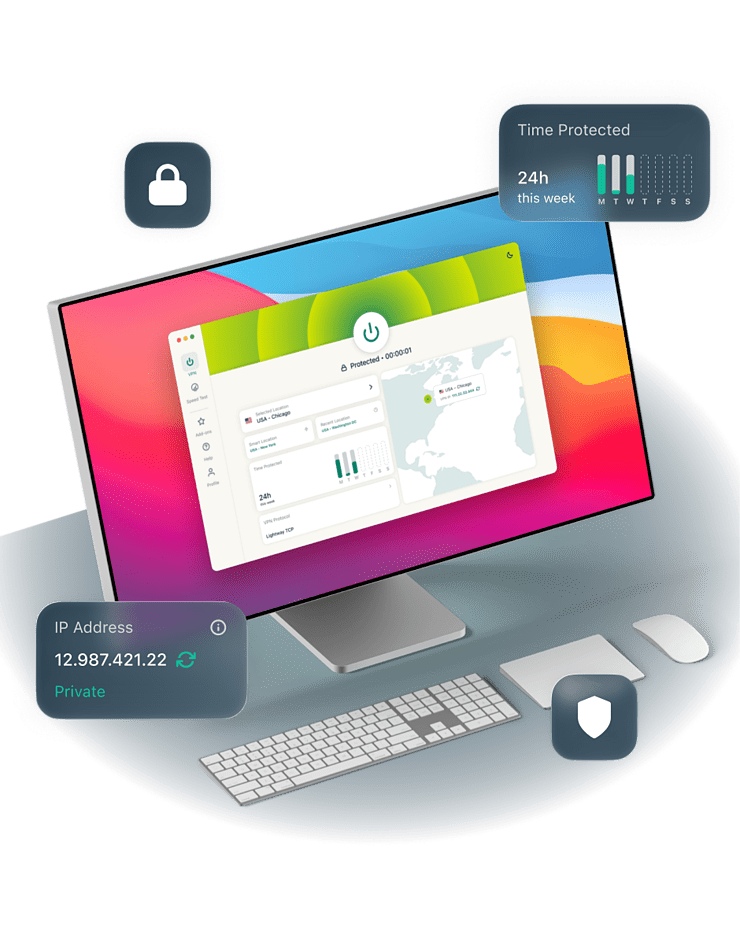
- Secure your Mac’s traffic while working on unsecure Wi-Fi networks
- Keep your connection consistent during streaming sessions
- Compatible with all Macs running macOS 11 Big Sur or higher
-

IPHONE/IPAD -

Android -

Windows -

Mac -

Linux -

Router -

Smart TV -

Game console
How to get a VPN for Mac
It only takes a few clicks to start running ExpressVPN on your Mac
-
Step 1

Sign up for ExpressVPN
Sign up for ExpressVPN and download our VPN for Mac.
-
Step 2

Install the app and sign in
Download ExpressVPN for Macs running macOS 11 or higher.
-
Step 3

Connect to a VPN server
Choose from servers in 214 locations across 113 countries worldwide.
Why you need a VPN for Mac
Apple secures your device, your connection is a different story

Stay secure on public Wi-Fi
Imagine firing up your brand-new MacBook Neo at a café and connecting to public Wi-Fi. This can expose your login credentials to Wi-Fi admins and hackers.
Using a VPN for Mac encrypts your connection, helping prevent cybercriminals from intercepting your data on unsecured networks. You can sip your latté and type away on your Neo, knowing your login details are no one else's business.

Protect your privacy and data
While Macs are built for privacy, you can't entirely escape your ISP's visibility. Without a VPN, it can still see which websites you visit and monitor your activity online.
A Mac VPN routes your traffic through an encrypted tunnel. This means your ISP only sees you’re sending traffic to a VPN server, enabling you to browse online without anyone looking over your shoulder.

Fast speeds for streaming and browsing
Your Mac’s Retina display makes it the perfect small-screen streaming machine. But if your ISP throttles streaming traffic, the video you’re watching will buffer a lot.
Using a VPN for Mac masks your online activity from your ISP, making it harder for the ISP to identify and throttle your streaming traffic. Less interference, more of the content you actually want to watch.
How to use a VPN on Mac
Let’s talk about setting up your Mac VPN and changing your location
How to set up ExpressVPN on macOS
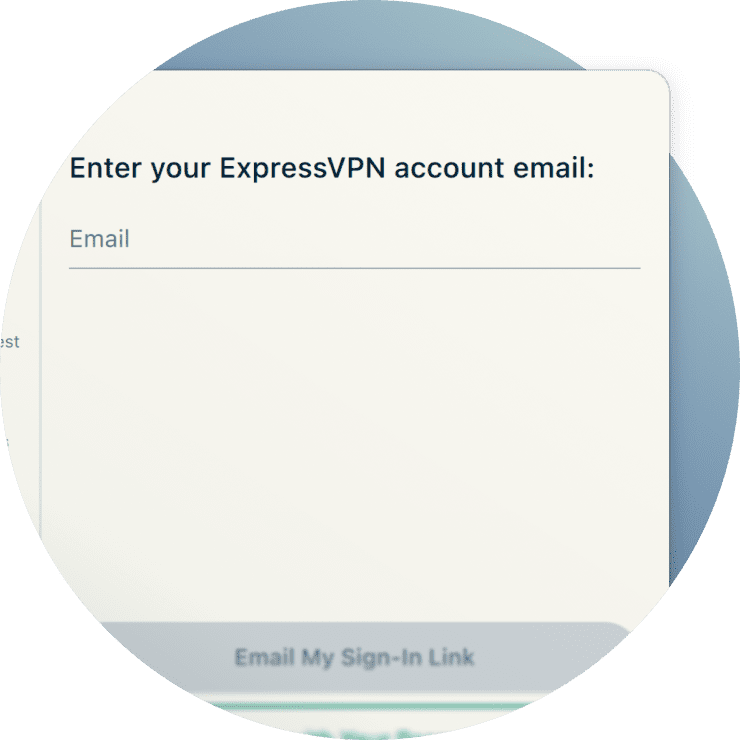
Setting up ExpressVPN on your macOS device is fairly straightforward. First, subscribe to ExpressVPN (choose the Advanced or Express Pro plan to get advanced protection features).
Then, download our VPN app for your Mac running macOS 11 Big Sur or higher, and follow the on-screen installation instructions. Finally, log in using your account credentials to get started.

How to change VPN locations on Mac
Once you have ExpressVPN on your Mac, you can choose a VPN server from 214 locations across 113 countries worldwide. This masks your real IP address with one from your selected location.
Our VPN service also lets you choose a specific city in a country of your choice. So, instead of just switching to a VPN location in the United States, for example, you can have a virtual location in Chicago or New York.
How to turn off a VPN on Mac
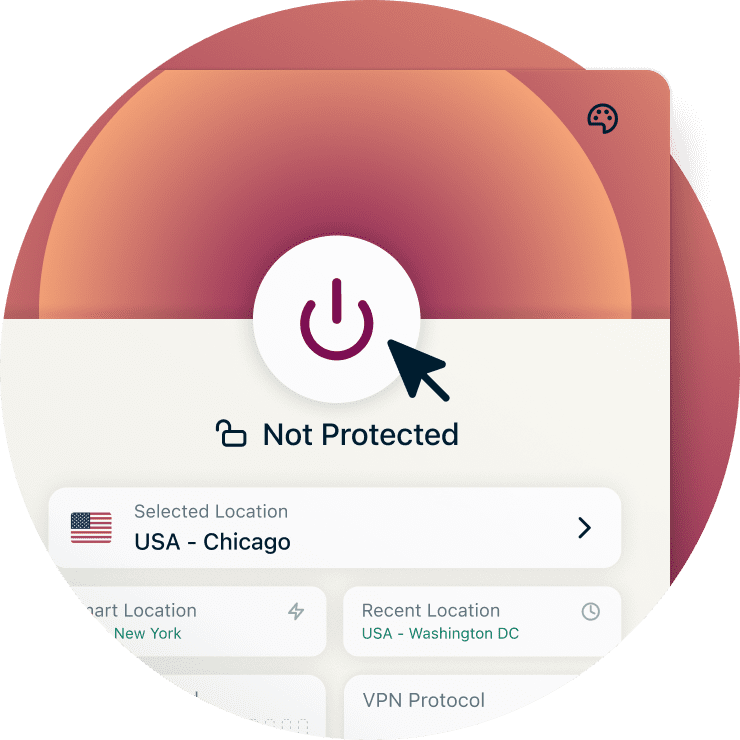
To turn off ExpressVPN on your Mac, simply click the Off button on the app. This disconnects your device from the VPN server.
Keep in mind that without an active VPN connection, your traffic is no longer encrypted. Your ISP and network admins can see your activity again, and your real IP address becomes visible to any websites and apps you use.
The best VPN for Mac: Why choose ExpressVPN
ExpressVPN secures what leaves your Mac without keeping a record of it

Server network spanning 113 countries
If you cross borders often, some apps and services might change or limit what you can access. This could mean not being able to continue bingeing your favorite shows on your Mac when you leave your home country.
ExpressVPN has servers in 214 locations across 113 countries. Connect to your location of choice and get safely back to your shows when you travel abroad.

Fast, reliable speeds VPN performance
Modern Macs, especially the M chip models, are computing powerhouses. ExpressVPN complements this performance with Lightway, our proprietary protocol.
Its lightweight code base translates to low overhead, which minimizes lag better than older protocols like OpenVPN. Plus, it picks up quickly when your internet connection drops so you don’t miss a beat.

Strong encryption and no-logs policy
Nearly everyone wants data on what you do online. We’re here to prevent that. ExpressVPN’s strong 256-bit AES encryption helps protect your online activity from ISPs and malicious actors on untrusted networks.
Our no-logs policy, independently audited by third parties, ensures we don’t store connection or activity logs. Your data can't be shared because it was never stored in the first place.

Easy-to-use ExpressVPN app for Mac
People love Macs because they simply work. Our VPN for Mac runs on the same philosophy. Just click on the toggle switch and connect in seconds. Smart Location can even select the best server nearby for you, so you don't have to think about it.
For even more protection, turn on advanced protection features to block ads, trackers, and malicious domains on your Mac.
Free VPNs for Mac vs. ExpressVPN
Your Mac deserves a VPN that also values privacy and performance

Limitations of free VPNs
Free VPNs come with catches. Data caps interrupt your streaming before you've finished watching. Many also monetize your activity and connection logs to fund their service, which is the opposite of why you wanted a VPN in the first place.
And with fewer servers handling more users, overcrowding slows everything down significantly, making free VPNs unreliable for everyday use.

Why paid VPNs offer better protection
With free VPNs, you are often the product. Outdated protocols and weak infrastructure leave your connection more exposed, while your data gets monetized to keep the lights on.
ExpressVPN is built differently. Unlimited bandwidth means no caps interrupting your streaming or downloads. With 10Gbps and 40Gbps server capacity, DNS leak protection, and our Lightway protocol, your activity stays private and your speeds stay consistent.
Key ExpressVPN features for Mac users
ExpressVPN offers features built for both new and advanced Mac users
-

Advanced servers
TrustedServer is ExpressVPN’s proprietary server technology, ensuring servers run exclusively on RAM and never write to disk. All server information is wiped on every reboot, so nothing you do online leaves a trace on our servers.
Our servers run on fast speeds and support high demand when streaming or browsing.
-

DNS leak protection
DNS leaks can expose your online activity to others, including your ISP, hackers, and advertisers.
ExpressVPN uses its own private DNS, which encrypts and resolves your Mac’s DNS requests within our servers. This helps protect against DNS leaks, since it’s much harder for outsiders to snoop on your online activity.
-

Internet Kill Switch
MacBooks’ long battery life make them ideal for working on the go. But they’re not immune to connection drops on spotty Wi-Fi, which can disconnect you from the VPN server and expose your traffic and IP address.
ExpressVPN’s Internet Kill Switch pauses all internet traffic until your VPN connection returns, keeping your Mac’s data secure.
-

Split tunneling
Not every app needs the same level of protection. ExpressVPN's split tunneling lets you choose which apps route through the VPN and which connect directly, so you stay protected where it matters without affecting everything else on your Mac.
-

Dedicated IP option
Some situations call for a consistent online identity, such as accessing your office network remotely or using your banking app while traveling.
ExpressVPN’s dedicated IP gives you a fixed address that’s exclusively yours across every session, so you can connect on your own terms whenever you want. It’s included with the Express Pro plan or available as an add-on.
Download a VPN for all your devices
ExpressVPN protects your entire suite of Apple devices, from Macs to Apple TVs

One ExpressVPN account is all you need to protect up to 14 active devices at once. This means you can cover not only your Apple devices, but your entire household if you need to.
Our VPN works on virtually all modern Apple devices. You can install it on Macs running the following macOS versions: 11 (Big Sur), 12 (Monterey), 13 (Ventura), 14 (Sonoma), 15 (Sequoia), or 26 (Tahoe). That means even Macs launched in 2013 can still run ExpressVPN.
If you’ve invested in the Apple ecosystem, we also have your iPhones and iPads covered. Simply download our iOS app for your device running iOS 15 or higher to get started.
Want to stream privately on your big screen? Our Apple TV app works with the HD and newer models.
What people are saying about ExpressVPN
Find out why Mac users all over the world love our product
-
#1 Best VPN 2026
Best Gaming VPNExpressVPN is the best Gaming VPN right now, thanks to its impressive speeds, excellent privacy protections and expansive global network of servers.

-
Editor’s Choice Award 2026
ExpressVPN’s expansive network and dedication to staying on the forefront of encryption tech earn it an award.

-
#1 Best VPN for the U.S. 2026
ExpressVPN is the best VPN for the U.S. right now. It has VPN servers in every American state, excellent security, and a simple user interface.

-
The fastest VPN
ExpressVPN is the fastest VPN I’ve found. It shows you the fastest server you can connect to, and a list of alternative servers. Or, you can let it choose for you. It’s affordable and worth it.
Christopher Gilmer


-
Great for travel & access
Does exactly what it's supposed to. Using it while travelling is great, accessing international websites for purchases is great, doesn't lag internet speed too much. Peace of mind and super easy to use.
Sam H.


-
Extremely reliable
ExpressVPN provides extremely reliable service that will keep you and your personal information safe. ExpressVPN is the perfect all around VPN service for your network security needs.
Dirt_Reynolds
-
Protects all devices
Just want to say, I have used ExpressVPN for over 10 years. On my phone, computers, and even on my home router. You guys are the very best!
OneDarkSeed

-
Excellent value
One of the major names in virtual private network (VPN) services, ExpressVPN offers a lot to consumers at face value.
MacHash

-
Post-quantum encryption
Backed by bleeding-edge post-quantum encryption technology, Express has landed a firm spot on our best VPNs list.
Carles Dijous






FAQ
Get answers to your common questions about using a VPN for Mac
Does Mac have a built-in VPN?
Macs don't have a built-in VPN. ExpressVPN fills that gap: encrypting your connection, masking your IP address, and keeping your data private on any network.
Does Mac have free VPN?
Macs don't come with a free VPN. ExpressVPN has a user-friendly app for MacOS and offers strong encryption with high-capacity servers in 214 locations across 113 countries.
Can I put a VPN on my Mac?
Definitely. To use a VPN on your Mac, first subscribe to ExpressVPN, download and install the macOS app for your device, and sign in with your account to get started.
Do you need a VPN if you have a Mac?
Your Mac's built-in security protects your device, but not your connection. A VPN encrypts your traffic so your ISP, hackers, and other third parties can't see what you do online.
What Apple devices and macOS versions does ExpressVPN support?
ExpressVPN supports macOS versions 11 (Big Sur), 12 (Monterey), 13 (Ventura), 14 (Sonoma), 15 (Sequoia), and 26 (Tahoe). We also have dedicated apps for iPhones, iPads, and from HD to newer versions of Apple TVs.
Why is my Mac VPN not working?
Try closing and reopening the ExpressVPN app first. If that doesn't work, make sure you're running the latest version. Still having issues? Our 24/7 support team can help.
Try the trusted VPN for Mac
- Maintain speed and security during gameplay
- Contact our 24/7 customer support for expert advice





