#1 Most Secure VPN 2026 according to*
World’s #1 VPN. Now for teams.
Trusted protection. Global access. Built to scale.
30-DAY MONEY BACK GUARANTEE FOR NEW USERS
*ExpressVPN helps support expert review sites through an affiliate program that compensates them for referrals.

23+ independent No-logs policy and security audits
Unlock your team’s edge with ExpressVPN for Teams
-
Secure remote workers and protect endpoints
Protect distributed teams at the press of a button. With IP masking and AES-256 encryption, every connection stays secure—safeguarding endpoints, uploads, session data, and more.
-
Power global access to real local markets
Help teams work effectively across borders. With servers in 105 countries and all 50 U.S. States, research and verify global experiences while ensuring consistent access to company tools.
-
Fast, reliable connectivity wherever you are
Keep business moving with server capacity up to 40 Gbps. Smart Location connects you to the best server wherever you are, reducing latency and keeping your work running smoothly.
Built for how teams actually work
ExpressVPN for Teams combines ease of use for end users with powerful centralized admin controls to drive adoption and value simultaneously as organizations scale. See us in action and start your team’s 30-day risk-free trial today.
30-day money back guarantee for new users.
IT-level security.
Low cost. Zero complexity.
We give you powerful VPN security in flexible plans.
Then we get out of the way.
-
Industry-leading security. Protect against threats.
Reduce the risk of data breaches, phishing attacks, and unauthorized access through advanced post-quantum encryption, DNS leak protection, and our privacy-first TrustedServer technology.
-
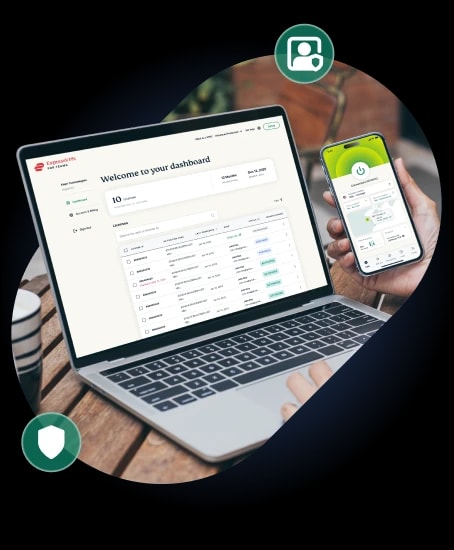
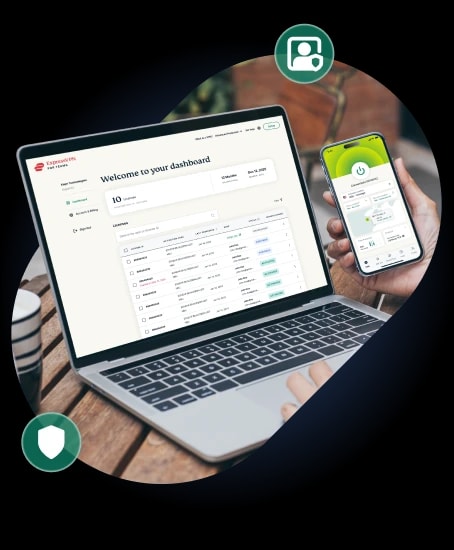
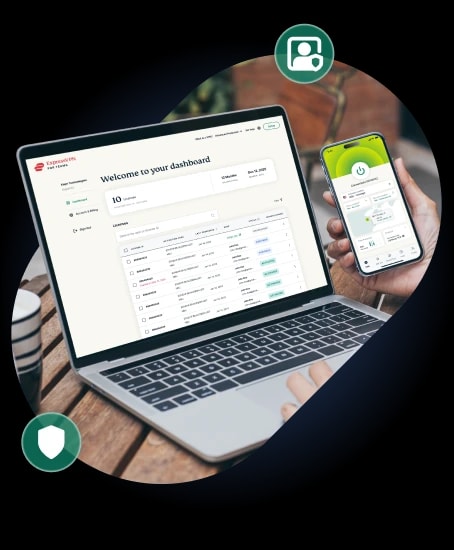
Custom admin dashboard. Manage access with ease.
We make user management simple with an intuitive admin control console, easy license reassignment, and fast deployment—so teams stay protected without adding IT complexity.
-
Flexible plans. Zero user friction.
Flexible plans—backed by a 30-day money-back guarantee—built around volume discounts. Grow your business while keeping costs aligned, simplifying billing and avoiding enterprise bloat.
CUSTOM ADD-ON
Dedicated IP for Teams
Add Dedicated IP for Teams to your solution and get a fixed IP address for your team. A fixed IP simplifies whitelisting, minimizes network friction, and helps streamline remote working security. Talk to us now for a quote and to discuss options for server locations.
From decision to deployment.
Get started in 10 minutes or less.
Protect your entire team in minutes, not hours
-
Sign up
Just click ‘Get Started’ below, then choose the number of licenses that best meets your team’s needs.
-
Assign team members
Use the intuitive ExpressVPN for Teams admin dashboard to assign licenses to team members. We’ll take care of the rest via email.
-
Activate protection
Once set up, all your team members need to do is download the ExpressVPN app on their primary work device, activate their license key, then click “Get Started”. That’s it!
Our industry-leading VPN features. Your organization, secured.
-
Lightway VPN protocol
Our custom-engineered VPN protocol is quantum-safe and optimized for battery life.
-
Advanced Protection suite
Headlined by built-in ad blocking to help your team stay focused on the work that matters.
-
TrustedServer technology
Our proprietary RAM-only server technology is a big reason why we’re the #1 secure VPN.
-
Audited no-logs policy
Our privacy has been audited an industry-best 23+ times by leading firms like KPMG and PwC.
-
Threat Manager
Stop malware threats before they take root with our built-in tracker blocking tool.
-
24/7 live chat support
Setup is a snap, but if you ever need some help, our dedicated support centers have you covered.
-
NEW! Cutting-edge AI support
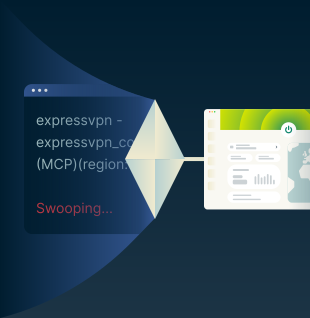
ExpressVPN is the first VPN to support Model Context Protocol (MCP), introducing a dedicated MCP server with added privacy safeguards. This allows orgs and developers to:
- Securely control the VPN with Claude Code and Codex
- Build and test software with an integrated VPN state
- Troubleshoot network issues straight from AI
- Power programmatic region-switching for geo-testing
Out-of-the-box solutions for fast-moving industries
Seamless access. Always-on security.
IT teams and MSPs keep infrastructure secure and always-on with encrypted remote access, consistent connectivity across client environments, and the option of a fixed IP for seamless allowlisting.
Teams can manage distributed systems and client networks across regions without friction—accessing dev tools, internal dashboards, and cloud platforms securely, while maintaining the visibility clients expect.
Design freely. Create across borders.
Creatives stay secure and productive with encrypted access to shared drives, tools, and client assets. Teams can collaborate across borders while protecting sensitive files, streamlining access, and enhancing client trust.
They can also see the local markets they need to target, unlocking authentic social and eCommerce experiences to help take their work to the next level.
Protect your work. Own every market.
Marketing teams protect campaign assets and client data with encryption. Journalists work without censorship and communicate with sources privately. Publishers manage remote teams and freelancers securely.
Teams can also see the markets they're targeting as locals do, unlocking authentic insights into regional search, social, and ad platforms. So every campaign lands with the nuance and precision that clients pay for.
Engage with trust. Extend your impact.
Access region-specific information to support accurate research, policy analysis, and community outreach. Make informed decisions, deliver services effectively, and engage audiences with clarity and trust.
Keep sensitive citizen and donor data protected with encrypted connections, secure access to shared systems, and the option of a fixed IP to strengthen allowlisting policies across distributed teams.
Smarter connections. Sharper insights.
Advisors, analysts, and trading desks can also securely access internal platforms, regional exchanges, and market data feeds from anywhere. Get the insights and intelligence you need to deliver maximum value.
Financial services teams also keep sensitive data, transactions, and client information protected in transit—whether employees are working remotely, travelling, or connecting on public networks where interception risk is real.
AI-ready. Build and test without limits.
Software development teams protect source code, credentials, and deployment pipelines across every stage of the build process, enhanced by a dedicated MCP server offering Claude Code and Codex support.
With agentic AI, developers can programatically test applications across regions, helping ensure reliable performance across markets and platforms. Build, ship, and scale with confidence—making full use of the power of AI.
Book a call with us to learn more
- Demo of the Admin Dashboard
- Questions on pricing, billing and plan options
- Discuss about custom solutions for your team

ExpressVPN for Teams FAQs
Got a question about ExpressVPN for Teams? We’re here to help.
If I get a Teams subscription, will it cancel my current subscription?
No. If you are an existing customer, your current subscription will not be canceled after purchasing an ExpressVPN for Teams subscription. You can contact customer support if you want to migrate a long-term subscription to a Teams plan.
Do all licenses under a one Teams subscription have the same renewal date?
Yes. When you add new licenses to an ExpressVPN for Teams subscription, you’ll pay a pro-rata price for the additional seats, which will then renew at the same time as other license under your plan.
Can I revert to a consumer ExpressVPN subscription from Teams?
No. When you sign up for ExpressVPN for Teams, you make a minimum license commitment and subscribe for 1-month, 12 months or 24 months. You can turn off auto-renew and then go back to ExpressVPN at the end of that term by taking out a new ExpressVPN subscription.
What payment methods are supported for ExpressVPN for Teams?
You can purchase a new ExpressVPN for Teams subscription via Apple Pay, Google Pay, a credit or debit card, and PayPal.
Can I re-assign a license to a different user?
Absolutely yes! ExpressVPN for Teams is built for flexibility and you can always assign a license to a new or different user.
Who has control over all of the licenses?
When you sign up for ExpressVPN for Teams, the registered email owner becomes your account admin and manages the licenses linked to your subscription. The admin can change the registered email address linked to the account at any time, or contact customer support for help.
Protect your team with ExpressVPN, risk-free
New users can take advantage of our risk-free 30-day money-back guarantee. If you’re not satisfied with ExpressVPN for Teams for any reason, contact Support within 30 days and get a full refund.
30-DAY MONEY BACK GUARANTEE FOR NEW USERS.