Stay protected with ExpressVPN Internet Kill Switch
Internet Kill Switch automatically blocks all internet traffic until the secure VPN tunnel is restored
- Keep your data from leaking through connection drops and switching networks
- Protect your privacy on every device connected to ExpressVPN
- Try the optimized Lightway protocol for lightning-fast reconnection
30-DAY MONEY-BACK GUARANTEE FOR FIRST-TIME USERS

Why use a VPN kill switch
Keep your information safe, even on unreliable connections
-
![Stop data leaks during connection drops When a VPN service disconnects because your laptop is in sleep mode, you switched Wi-Fi, or a hotspot dropp...]()
Stop data leaks during connection drops
When a VPN service disconnects because your laptop is in sleep mode, you switched Wi-Fi, or a hotspot dropped, your device can send traffic outside the encrypted tunnel.
A VPN kill switch halts that traffic until a secure connection is restored, keeping your data secure.
-
![Prevent IP and DNS exposure on shaky networks Even a minor network glitch can expose your DNS request to your ISP, or your IP to others on the netw...]()
Prevent IP and DNS exposure on shaky networks
Even a minor network glitch can expose your DNS request to your ISP, or your IP to others on the network and other third parties.
A kill switch closes that window by blocking all non-VPN traffic until the VPN is online—something a simple auto-reconnect can’t do on its own.
-
![Stay private without constant checks VPN automatic kill switch reconnection is a common feature, but you may still experience small bursts of unpro...]()
Stay private without constant checks
VPN automatic kill switch reconnection is a common feature, but you may still experience small bursts of unprotected data.
A true kill switch adds an extra layer of protection, blocking unencrypted traffic even before auto-reconnect kicks in.



What Internet Kill Switch does to keep you safe online
Learn how a VPN kill switch works to provide instant protection for your data

Prevents data exposure during VPN drops
When the VPN disconnects, Internet Kill Switch applies firewall-based rules that block all unencrypted traffic.
This containment covers IPv4, IPv6, and DNS requests until the encrypted tunnel is back online, upon which traffic resumes automatically.

Maintains secure connections across networks
Internet Kill Switch stays on, even when switching between networks on Windows, macOS, and Linux, maintaining protection without user input.
It works side-by-side with ExpressVPN’s proprietary Lightway protocol for fast, stable reconnections to quickly restore the encrypted tunnel.
This combination keeps your connection secure during Wi-Fi changes or short signal drops, so your data never travels outside the VPN’s encrypted tunnel.
How to turn on Internet Kill Switch in ExpressVPN
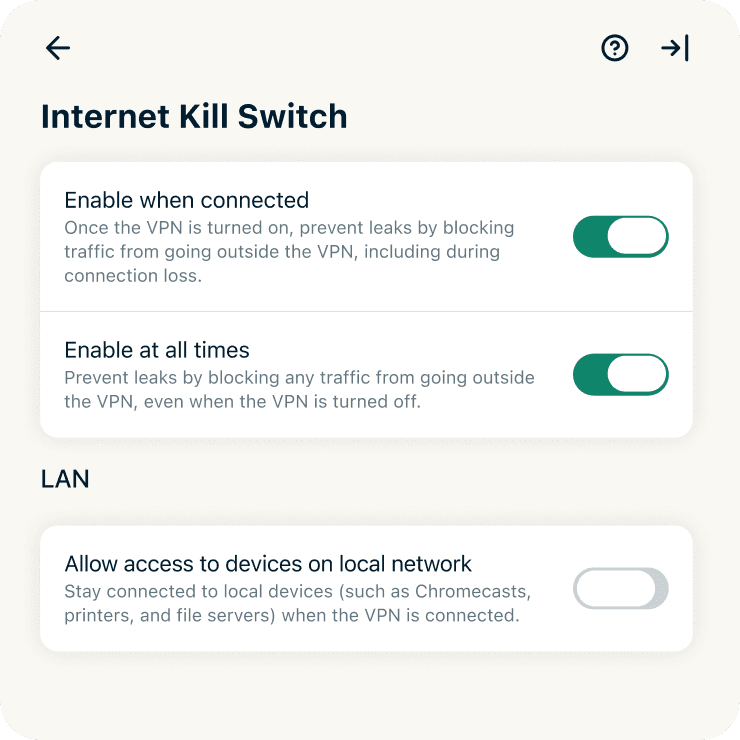
Windows, Mac, and Linux
On Windows, Mac, and Linux, Internet Kill Switch is on by default and can be turned off with a few clicks. While enabled, it will block your internet traffic automatically if the connection is interrupted. This proactive measure is an essential safeguard against network disruptions and prevents any unencrypted traffic from leaking out. When the VPN connection is back up, you’ll be unblocked and back in action in moments thanks to Lightway.
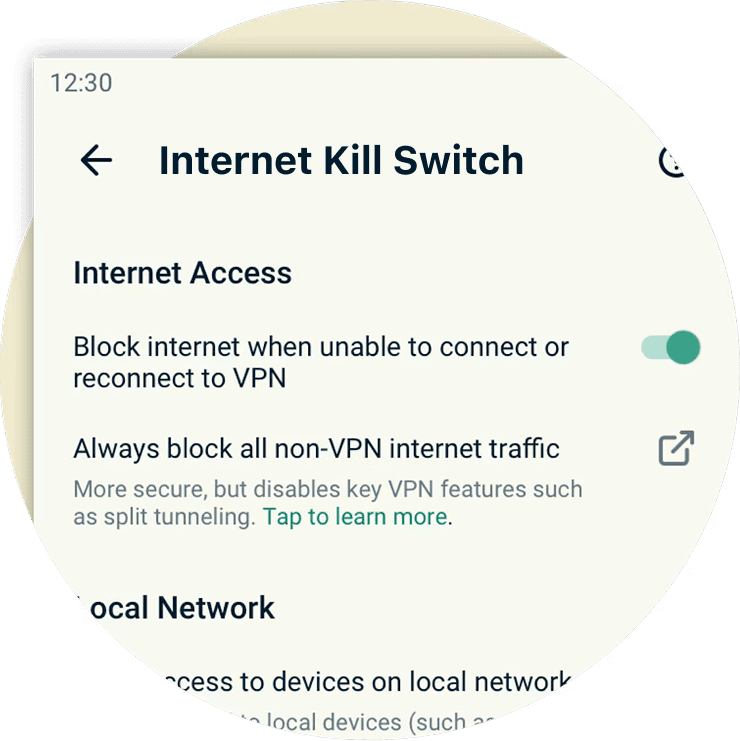
Android and iOS
On Android, ExpressVPN offers two layers of protection. The in-app kill switch is enabled by default and blocks internet traffic if the VPN disconnects, while still allowing split tunneling and access to local devices. For stricter protection, Android system settings can block all traffic that isn’t routed through the VPN, even after you disconnect.
On iOS, open Settings and go to Internet Kill Switch, choose Standard or Advanced Kill Switch to stop traffic when the VPN disconnects.
Supported devices
-
![Image 23]()
Windows, macOS, and Linux
Internet Kill Switch is built directly into the ExpressVPN app on Windows, macOS, and Linux, and is enabled by default on installation.
It’s an essential system-level ExpressVPN feature, blocking all unencrypted traffic if the VPN connection is in flux. You can also review, adjust, or even turn off Internet Kill Switch under the advanced settings if needed.
-
![Image 24]()
Routers
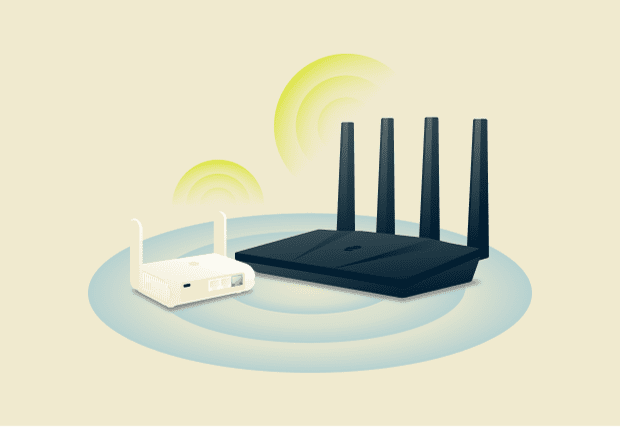
Internet Kill Switch is permanently active on routers with ExpressVPN, giving every device connected to the network the same level of protection.
It helps keep smart TVs, game consoles, and all other devices on your network that can’t run VPN apps directly secure. You can also exclude devices via split-tunneling.

-
![Image 25]()
Android
On Android, the kill switch blocks internet traffic if the VPN disconnects unexpectedly, while split tunneling access remains untouched.
Need stricter control? You can enable Block connections without VPN in Android settings to block all traffic, including devices on the local network.
-
![Image 26]()
iOS
On iOS, you’ll find two kill switch options. The Standard Kill Switch blocks internet traffic only if the VPN disconnects for any reason.
The Advanced Kill Switch blocks all network activity when the VPN is off, except for essential Apple DNS requests. This stops any unencrypted data from leaving your device without VPN protection.


Real-world scenarios where Internet Kill Switch helps
Maintain your privacy at home or on the go
-
![Switching between servers or networks Internet Kill Switch keeps traffic sealed inside the encrypted tunnel, even if you’re switching VPN servers...]()
Switching between servers or networks
Internet Kill Switch keeps traffic sealed inside the encrypted tunnel, even if you’re switching VPN servers.
On the ExpressVPN app for desktop and mobile, you can enable the kill switch in the Profile tab before joining public Wi-Fi or signing in to sensitive accounts.
-
![Using unstable Wi-Fi or public hotspots On café, airport, or hotel Wi-Fi, short drops can expose unencrypted data. Internet Kill Switch blocks all...]()
Using unstable Wi-Fi or public hotspots
On café, airport, or hotel Wi-Fi, short drops can expose unencrypted data.
Internet Kill Switch blocks all traffic during those interruptions until Lightway quickly restores the secure tunnel.
-
![Detecting apps that try to circumvent VPN settings Background processes (like messaging apps, cloud sync, or even online games) can try to reconnec...]()
Detecting apps that try to circumvent VPN settings
Background processes (like messaging apps, cloud sync, or even online games) can try to reconnect before the VPN reconnects.
Internet Kill Switch stops that traffic instantly (IPv4, IPv6, and DNS), acting as a last line of defense



The best kill switch VPN vs other VPNs
Internet Kill Switch is the gold standard of data protection
| ExpressVPN kill switch | Most VPN kill switches | |
|---|---|---|
| Activation and scope | Instantly ready upon installing the VPN on desktop (Windows, Mac, and Linux) and routers; system-wide rules help keep your data private and safe | Frequently needs manual activation, and often buried in settings. More likely to cover just certain apps |
| Router and smart device support | Keeps devices on your network (laptops, phones, TVs, and more) protected | Rarely includes routers or "whole home" coverage |
| Drop recovery | Works with Lightway protocol on 10gbps and 40Gbps servers in 113 countries to bring you back online fast | Depends on common protocols; reconnects can lag, with short windows where data may leak |
| Privacy & data handling | Runs on RAM-only servers; every restart wipes data and firewall rules, so nothing sticks around | Most stick with older server models, which may store data on hard drives. Full RAM-only networks are still rare |
| Mobile coverage | Consistent protection on Android and iOS, with system-level blocking and better control during and after disconnects | Android usually gets some features, but iOS coverage is spotty |
| Independent audits | Subject to third-party audits confirming consistent performance under stress testing | Many don’t share or barely mention third-party reviews or stress tests |
The trusted technology behind Internet Kill Switch
Built with a highly technical backbone for straightforward privacy
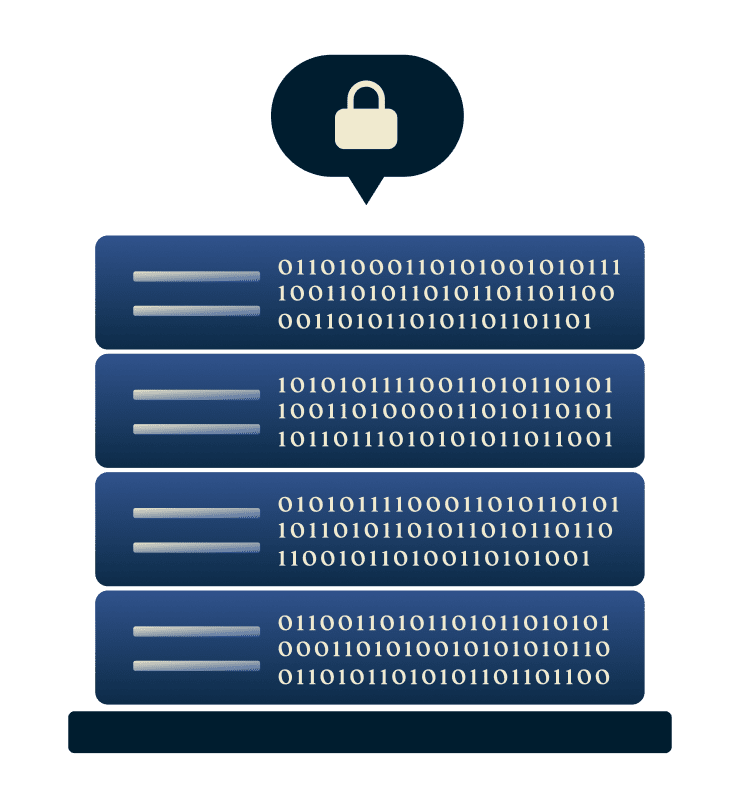
Firewall-based safeguards
Internet Kill Switch covers IPv4, IPv6, and DNS requests, and it operates silently in the background to resume traffic only after a secure tunnel is active again.
It’s built to integrate with the Lightway protocol for faster reconnection, and supported by TrustedServer’s RAM-only architecture, which resets ExpressVPN’s servers to a clean state on every reboot.

Continuous protection architecture
Internet Kill Switch is part of a larger security stack engineered for consistency: Lightway for rapid recovery, TrustedServer for verifiable server security and resets, and network-level isolation for leak prevention. Independent audits(by cybersecurity auditors KPMG and Cure53) confirm that this integrated system maintains protection across real-world conditions—your privacy is built into our VPN architecture.
What people are saying about ExpressVPN
I have ExpressVPN on all my devices - phone, laptop, tablet, AppleTV, etc., and absolutely love it.


* A sample of reviews from our most satisfied customers
Got an account with @expressvpn yesterday. Great decision for traveling out of the country!
@D_Geiger

* A sample of reviews from our most satisfied customers
With its consistent performance and reliable security, ExpressVPN is the best VPN out there.

* We sometimes pay expert sites for customer referrals
FAQs: About VPN kill switches
Discover the answers to your most common questions about a VPN kill switch
What is a VPN kill switch?
A VPN kill switch, also called a VPN automatic kill switch, blocks web traffic if your internet connection drops. ExpressVPN’s Internet Kill Switch does this at the system level to keep your IP address and data protected inside the encrypted tunnel. The VPN restores your connection when it reconnects.
Should you enable the kill switch?
Absolutely. Keeping your VPN kill switch on helps you prevent leaks if your connection drops. Internet Kill Switch is on by default on Windows, macOS, and Linux, with one-tap protection on Android and iOS. Lightway supports rapid reconnection, so there's no need to worry about the kill switch interrupting your browsing.
How do you activate the kill switch in ExpressVPN?
On desktop and mobile, navigate to the Profile > Settings. Under Internet Kill Switch, you can choose how it works: block traffic only when the VPN is connected, or enable "at all times" to keep traffic blocked whenever the VPN is off.
On Aircove, the Internet Kill Switch is always on, so you don’t need to change any settings.
What if Internet Kill Switch isn't working correctly?
If Internet Kill Switch isn’t blocking traffic when the VPN connection is interrupted, make sure your ExpressVPN app is up to date. Re-enable the feature under Settings › General or contact ExpressVPN support for a quick checkup by our team.
Does every VPN offer a kill switch feature?
Not every VPN provides a full system-level VPN kill switch. Some need manual activation or protect only specific apps. ExpressVPN’s Internet Kill Switch blocks IPv4, IPv6, and DNS traffic outside the encrypted tunnel on Windows, Mac, Linux, iOS, and Android devices.
How can I tell if my kill switch is active?
Want to know how to test a VPN kill switch? Connect to ExpressVPN, then turn off your internet connection briefly. If your internet pauses until Lightway restores the tunnel, the kill switch is active.
Try ExpressVPN risk-free with Internet Kill Switch
Best-in-class protection with smart, system-level safeguards
Browse confidently using ExpressVPN
- Keep your internet traffic protected even during VPN drops, with lightning-quick reconnects
- Maintain privacy across platforms, with protection for Windows, Mac, Linux, routers, Android, and iOS
- Get a 30-day money-back guarantee as a first-time customer