

VPN for PlayStation: Setup and benefits for PS5, PS4, and PS3
Upgrade your gaming experience with a PlayStation VPN designed for stability, privacy, and ease
- Reduce ISP content-based throttling for stable gaming and streaming
- Protect against DDoS attacks with IP masking and robust encryption
- Get started quickly with flexible setup options and 24/7 chat support
30-day money-back guarantee for first-time users

ExpressVPN for PlayStation consoles
Get stable, safer gaming with a VPN for PS5, PS4, and more
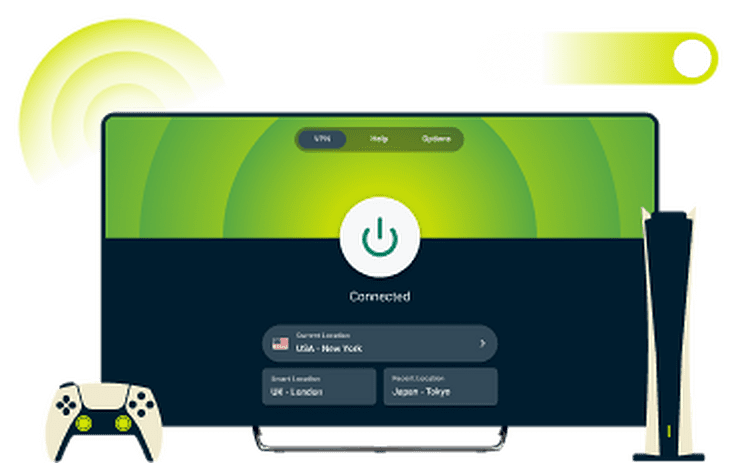
Works with PS5, PS4, and older PlayStation models
PlayStation consoles don't support VPN apps, but ExpressVPN offers multiple setup options whether you want comprehensive gaming protection or privacy while streaming.
To get full encryption and DDoS protection, try our ready-to-use Aircove router*, or share the VPN connection from your PC. For streaming purposes, MediaStreamer, our smart DNS service, offers quick setup without encryption.
*Aircove router has built-in VPN capabilities. An ExpressVPN subscription is required for VPN functionality.

Quick setup with detailed guides and support
ExpressVPN makes setup simple with a VPN for PlayStation 4, 5, and more, with step-by-step guides for every configuration method. Troubleshooting NAT types? We have guides to change the NAT Type on your PS4 or PS5, plus 24/7 live chat support for any questions.
You get clear instructions, real help when you need it, and a fast path back to your game.

One account covers multiple device types
Managing separate apps and subscriptions for every device adds cost, complexity, and gaps in protection.
You can secure all your devices at once with a single ExpressVPN subscription, including your consoles, phones, laptops, and more. With up to 14 simultaneous connections you get a consistent, streamlined experience, making it easy to stay protected.
How to set up a VPN on PS5 or PS4
A VPN PlayStation gamers can rely on: Three easy ExpressVPN setup options
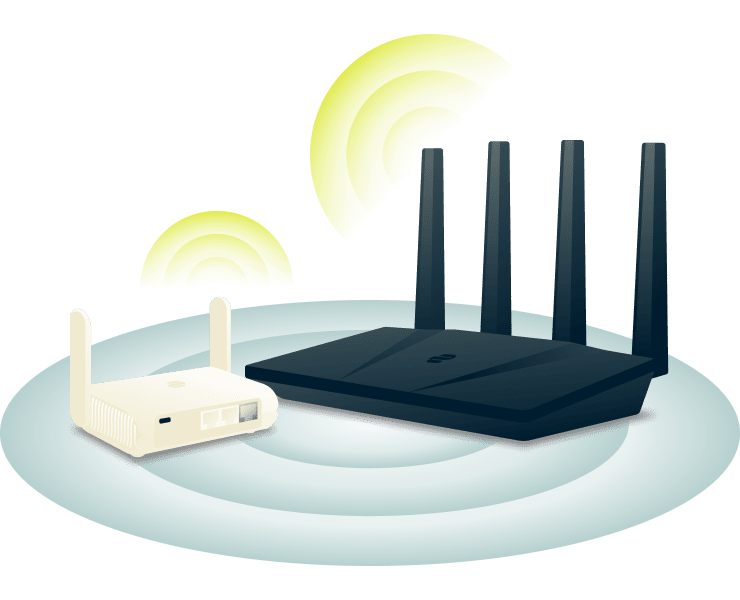
Method 1: Use ExpressVPN’s plug and play router
* comes with built-in VPN capabilities, so your PlayStation is secured the moment you connect.
Set up Aircove (takes just five minutes), connect your PlayStation, and you're done. Every device that connects to Aircove gets VPN protection automatically, giving you whole network coverage without technical hassle.
*Requires ExpressVPN subscription for VPN functionality. Standard router features work without a subscription.

Method 2: Share a VPN connection from your PC
If you already use ExpressVPN on your Windows PC, you can share that connection with your PlayStation. If not, downloading and setting up the app only takes a few minutes.
Connect your console via Ethernet or turn your computer into a Wi-Fi hotspot. You'll have direct control over server locations from your desktop app, though your computer needs to stay on while you're gaming.

Method 3: Stream with ExpressVPN’s MediaStreamer feature
MediaStreamer is a Smart DNS service that can help you mask your virtual location on your PlayStation, improving your privacy. It works with your existing streaming subscriptions and requires a quick network configuration.
MediaStreamer setup takes just a few minutes but doesn’t include VPN encryption so sharing sensitive information over this connection is not recommended.
Why use a VPN on your PlayStation?
Get more privacy, stability, and protection every time you play
-
![Improve connection stability and speeds If your ISP slows heavy traffic, it can increase lag in online games, which is frustrating when you need st...]()
Improve connection stability and speeds
If your ISP slows heavy traffic, it can increase lag in online games, which is frustrating when you need stability. By encrypting your traffic, ExpressVPN reduces content-based throttling. The result is more reliable gameplay and fewer interruptions.
-
![Reduce exposure to DDoS threats while gaming Competitive matches can bring out opponents who try to disrupt your game. If someone targets your IP a...]()
Reduce exposure to DDoS threats while gaming
Competitive matches can bring out opponents who try to disrupt your game. If someone targets your IP address, you risk being kicked from the match. ExpressVPN hides your true IP address, making it much more difficult for others to launch DDoS attacks against you.
-
![Maintain privacy on shared or public networks Gaming in shared spaces like dorms or hotels puts your traffic at risk from others on the same networ...]()
Maintain privacy on shared or public networks
Gaming in shared spaces like dorms or hotels puts your traffic at risk from others on the same network. ExpressVPN’s Internet Kill Switch prevents data leaks if your internet connection drops. This keeps your activity private on public Wi-Fi or unsecured networks, for peace of mind wherever you play.



Can you use a VPN for PlayStation Plus or cloud gaming?
Protect your cloud gaming sessions with ExpressVPN

Yes, you can use PlayStation Plus and cloud gaming services with a VPN, but server location matters. Since streaming games requires low latency, connecting to a VPN server near your physical location will provide better speeds than a server far away.
ExpressVPN can also help with local network restrictions at hotels or school, or if your ISP throttles gaming traffic. Use the Lightway protocol and Aircove setup for best performance with your existing PlayStation Plus subscription.
Free VPNs vs. ExpressVPN for PlayStation consoles
Paying for a VPN gives you the peace of mind and stability you need for online gaming

Speed and performance consistency
Free VPNs for PlayStation 4 or 5 often throttle bandwidth or cap data, leaving your gaming sessions laggy and unstable. This makes gameplay frustrating or winning a match impossible.
ExpressVPN gives you unlimited bandwidth, up to 40Gbps servers, and our Lightway protocol which balances security and performance. With a high-speed VPN, your connection stays fast and stable, so you can focus on your game, not the lag.

Protection features and data security
Many free VPNs log or even sell your data, exposing your online activity and putting your privacy at risk while you game or stream. ExpressVPN offers advanced security protection you can rely on.
A strict no-logs policy, TrustedServer technology that automatically wipes data, and regular independent audits keep your gaming activity and personal information private.

Setup support and device compatibility
Free VPNs rarely support consoles, forcing you to pay more or struggle with complex setups. Without proper guidance, setting up a PlayStation VPN can be technical and frustrating, especially when you just want to play.
ExpressVPN provides step-by-step setup guides and 24/7 live chat support. Whether you’re connecting via Aircove, a PC hotspot, or MediaStreamer, your PlayStation—and all your other devices—stay protected with ease.

Cost, limitations, and refund option
Free PlayStation VPNs might seem "cheap," but the hidden costs include unreliable service, limited features, slow speeds, and no guarantees. Here's what you actually get with ExpressVPN.
Just one ExpressVPN subscription covers all your devices, backed by a 30-day money-back guarantee* for new customers. You get reliable service, full-featured access, and peace of mind without the compromises of free options.
*Users who purchased their subscriptions through the Apple App Store (iTunes) or the Google Play Store do not have access to the ExpressVPN 30-day money-back guarantee. Instead, users can request refunds through the App Store or Play Store, at Apple’s or Google’s discretion.
Customers love ExpressVPN for PS5, PS4, and PS3
Happy subscribers rate ExpressVPN for its consistent protection and easy setup
@expressvpn I was able to get the service i needed for gaming 10/10 all platforms thx well worth service i needed!


Wow, @expressvpn thank you for the stable connection, allowing me to stream and game with minimal issues on my rural connection! First #vpn to do that well for me.

Yeet! Yup. Its the fastest VPN I’ve ever used to date. I dont even bother switching it off for gaming anymore. Hardly notice it.

Common questions about PlayStation and VPNs
Everything you need to know to get started with a VPN for PlayStation
Can I use a VPN directly on my PlayStation console?
No, PlayStation consoles don’t support VPN apps. But you can still use ExpressVPN by connecting through Aircove or by sharing a VPN connection from your PC. Each option gives your PlayStation a private, stable connection with access to our global network of servers.
What’s the best way to configure a VPN for PlayStation 5?
The easiest setup is ExpressVPN Aircove, our VPN router that protects your PS5 and every device in your home with zero configuration needed. Just plug in, connect, and you're protected. Alternatively, you can share a connection from your PC using our step-by-step guides.
Does MediaStreamer offer the same protection as a VPN?
No. MediaStreamer improves streaming compatibility on PlayStation, but it doesn’t encrypt your traffic or hide your IP address. For stronger privacy, protection against DDoS attempts, and security on shared networks, use a full ExpressVPN connection through your router or share a connection from your Windows hotspot.
How do I use a VPN without changing my router settings?
Share an ExpressVPN connection from your Windows device straight to your PlayStation, so there’s no need to adjust router settings. It’s a quick setup that gives your console the same protection and stability benefits as a full router setup—along with instant access to 113 server locations worldwide.
Can a VPN help with game server connection issues?
A VPN can help keep your speeds more consistent by reducing activity-based ISP throttling and routing your traffic through a fast, reliable server. With ExpressVPN’s global network, you can experience more stable connections to game services, especially during peak times or when traveling.
Is it safe to use a VPN on console networks?
Yes. Using ExpressVPN on PlayStation is safe and won't damage your console or violate Sony's terms. Your PS5, PS4, or older models will function normally for gaming and downloads. ExpressVPN protects your connection with 256-bit AES encryption and a strict no-logs policy for enhanced privacy.
How to use VPN on PlayStation?
Using a VPN on PlayStation is simple with ExpressVPN. Connect via Aircove (our router with built-in VPN), or share a VPN connection from your Windows PC. ExpressVPN's setup guides and 24/7 support make it easy to start gaming securely in minutes.
Try ExpressVPN for PlayStation gaming risk-free
Take control of your gaming with enhanced online privacy, protection, and freedom

With the best VPN for PlayStation, you play with confidence knowing your connection stays consistent and your experience stays private. Try it with a 30-day money-back guarantee* and feel the difference for yourself.
*Users who purchased their subscriptions through the Apple App Store (iTunes) or the Google Play Store do not have access to the ExpressVPN 30-day money-back guarantee. Instead, users can request refunds through the App Store or Play Store, at Apple’s or Google’s discretion..