

Sling TV VPN: Stream live TV privately
Prevent frustrating ISP activity-based slowdowns or the “Authorization Error” with ExpressVPN for Sling TV
- Switch servers across 50 US states for optimal streaming performance
- Avoid content-based ISP throttling during live games and breaking news
- Keep watching your Sling TV home subscription safely while traveling
30-DAY MONEY-BACK GUARANTEE FOR FIRST-TIME USERS
-

IPHONE/IPAD -

Android -

Windows -

Mac -

Linux -

Router -

Smart TV -

Game console
Why you need a VPN for Sling TV
Enable high-speed streaming and safe access with a Sling TV VPN

Avoid ISP throttling and buffering lag
Sling TV may buffer, lag, or fail to load entirely when your ISP applies content-based throttling to your streaming traffic. Browsing may stay fast, but your ISP can restrict live TV streams to manage your bandwidth usage.
A VPN service encrypts your traffic so your ISP can’t identify any streaming activity. This means using a VPN with Sling TV can help you maintain fast playback for live games, shows, and breaking news.

Keep your sports and movie streams private
VPN encryption protects your traffic from ISPs and third parties who monitor your connection. IP masking prevents advertisers and trackers from profiling your viewing activity or linking it to your location.
That means you can stream NBA games and movies like The Hunger Games without leaving a traceable viewing footprint—even on shared or unsecured networks.
Stream securely on public Wi-Fi networks
Catching live NFL games at airport lounges or hotels comes with risks, as many public Wi-Fi networks aren’t encrypted. Attackers on the same network can intercept your Sling TV login credentials and payment information.
A VPN for Sling TV encrypts your connection so you can stream live games and breaking news on any network without exposing your information. With a kill switch, your credentials stay protected even during brief connection interruptions.

Stay safely connected to Sling TV while traveling
Traveling or working abroad shouldn’t mean missing the Super Bowl or your favorite NFL matches. A VPN lets you connect to a VPN server in your subscription's home region to help you safely access the content you already pay for while you're away.
A quality VPN uses obfuscation to disguise your streaming traffic as regular web browsing. This lets you stay connected to Sling TV on hotel and airport networks if they restrict VPN connections or streaming services.
How to watch Sling TV with a VPN
Set up the best VPN for Sling TV in minutes
-
Step 1

Sign up with ExpressVPN
Choose a subscription tier and sign up with our 30-day money-back guarantee*.
-
Step 2

Download the ExpressVPN app for your device
Download the app and log in. ExpressVPN is available for all popular operating systems.
-
Step 3
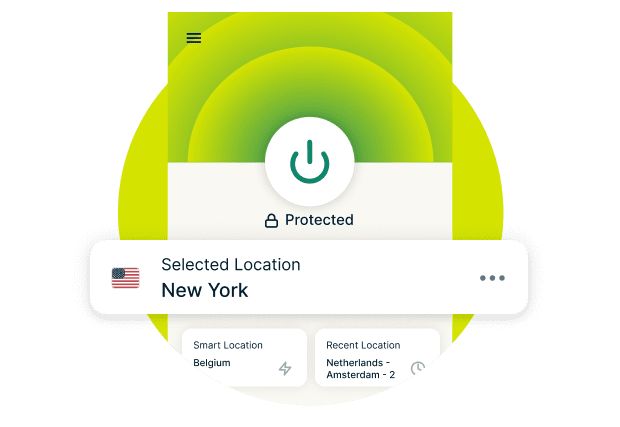
Connect to a secure U.S. server location
Choose a server in any of the 50 U.S. states. Connect to Sling TV and start streaming.
24/7 customer support via live chat & email
*Users who purchased their subscriptions through the Apple App Store (iTunes) or the Google Play Store do not have access to the ExpressVPN 30-day money-back guarantee. Instead, users can request refunds through the App Store or Play Store, at Apple’s or Google’s discretion.
Why ExpressVPN is the best VPN for Sling TV
Independently audited privacy and apps for all major platforms
High-speed servers in all 50 U.S. states
ExpressVPN's high-capacity servers (10Gbps and 40Gbps) US VPN locations across all 50 states are built to maintain consistent performance during NBA playoffs and primetime events. You can always connect to a nearby server for low latency, minimizing lag during critical plays.
Our Lightway protocol helps maintains your connection security and speeds when you switch from Wi‑Fi to cellular, so your Sling TV stream continues working during your commute.
Works with Sling Orange, Blue, and Extras
From ESPN on Sling Orange to AMC on Sling Blue to premium channels with Extras, ExpressVPN encrypts your Sling TV streaming across all packages. Your ISP can't see which sports games, shows, or movies you watch.
Every Sling TV connection receives the same encryption protection and benefits from our no-logs privacy policy. Your viewing habits aren't tracked, logged, or sold to advertisers, regardless of your subscription tier.
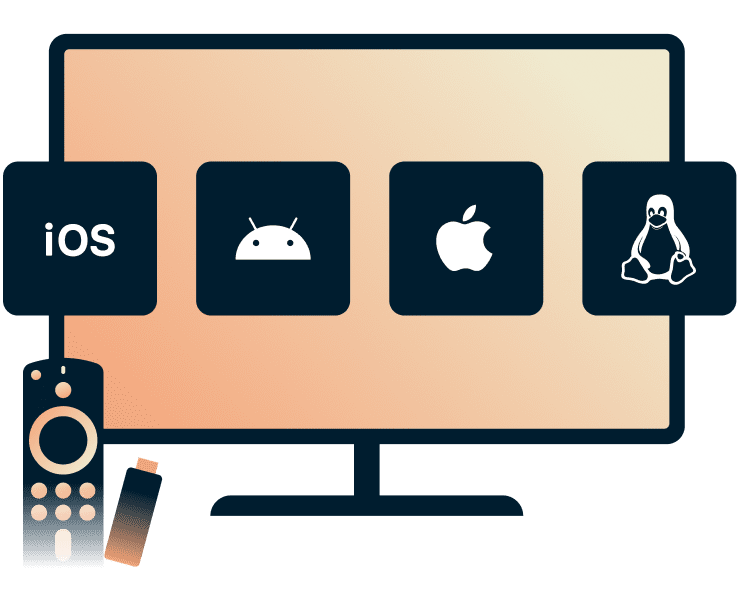
Apps for Fire TV Stick, Apple TV, and mobiles
Native apps for Fire TV Stick and Apple TV install in minutes with guided on-screen setup.
On mobile, the Lightway protocol on iOS and Android apps minimizes battery drain without sacrificing speed. You can also pick the fastest server with the built-in speed test on your VPN app*.
*This feature is currently only available on iOS and Android
Risk-free streaming with 24/7 live support
ExpressVPN’s expert support team is ready to help you get the most out of your streaming experience. Our live chat is available 24/7 to troubleshoot connection problems and optimize your settings for live sports.
Test Sling TV with ExpressVPN risk-free with our 30-day money-back guarantee* for first-time customers. Simply contact support to request a refund if you’re not satisfied.
*Users who purchased their subscriptions through the Apple App Store (iTunes) or the Google Play Store do not have access to the ExpressVPN 30-day money-back guarantee. Instead, users can request refunds through the App Store or Play Store, at Apple’s or Google’s discretion.
Troubleshooting: Sling TV not working with your VPN?
Quick fixes when you get a Sling TV VPN error
-
Switch U.S. server locations to fix connection errors
If Sling TV isn’t working with the VPN turned on, switch to a different U.S. server in the ExpressVPN app. Server congestion or temporary maintenance can affect streaming. Select a server with lower latency using the Speed Test feature.
-
Use the Lightway protocol for faster speeds

Switch to the Lightway protocol if you experience buffering or slow loading times. Lightway establishes connections faster than OpenVPN and uses less bandwidth, reducing startup lag when launching Sling TV streams.
-
Clear your cache to resolve “Authorization Error” messages
Authorization errors occur when Sling TV's cached data (like your stored IP address) conflicts with your VPN connection. Disconnect your VPN, clear the app cache, then reconnect and reopen Sling. If the error persists, contact our 24/7 support team.
Can you use a free VPN for Sling TV?
Performance, privacy, and reliability compared
The hidden price of free data
Free VPNs may collect and sell your personal data to advertisers. Your Sling TV viewing habits and connection details are the product. They can track which games you watch, when you stream, and sell this data to third parties.
ExpressVPN doesn’t log your streaming activity so can’t sell your data. Independent audits by firms like KPMG and PwC verify our no-logs policy, ensuring your privacy is protected while you watch shows on Sling TV.

Data caps vs. live sports: Why free VPNs fall short
Free VPNs typically limit you to 500MB-2GB per month. Streaming Sling TV in HD uses approximately 3GB per hour, so your data cap runs out during the first quarter of a single NFL game.
ExpressVPN provides unlimited bandwidth, so you can stream entire playoff series and championship games without VPN data restrictions.
Frequent blocks and “VPN Detected” errors
Free VPNs often trigger 'VPN Detected' errors that interrupt your streaming. Their limited server networks and shared IP addresses make them easy to identify, causing frequent connection failures and buffering during live games.
ExpressVPN's extensive server network across 50 U.S. states undergoes regular maintenance and IP address updates. This provides more reliable connections for consistent streaming performance.
What people are saying about ExpressVPN
Discover why our fans choose ExpressVPN
I have ExpressVPN on all my devices - phone, laptop, tablet, AppleTV, etc., and absolutely love it.


* A sample of reviews from our most satisfied customers
Got an account with @expressvpn yesterday. Great decision for traveling out of the country!
@D_Geiger

* A sample of reviews from our most satisfied customers
With its consistent performance and reliable security, ExpressVPN is the best VPN out there.

* We sometimes pay expert sites for customer referrals






FAQs: Sling TV VPN guide
Does a VPN work on Sling TV? Common questions answered
Does ExpressVPN work with Sling TV?
Yes. ExpressVPN works with Sling TV, maintaining reliable connections across all packages, including Orange, Blue, and Extras. Ultra-fast U.S. servers and obfuscation technology help you stream securely, privately, and consistently, even on networks that may restrict VPN traffic.
Can I watch local sports (NFL/NBA) on Sling with a VPN?
Yes. Follow your team securely with ExpressVPN for Sling TV. Connect to a different U.S. city using ultra-fast servers across all 50 states to access NFL and NBA games at home or while traveling. Obfuscation technology helps maintain connectivity on networks that may restrict VPN traffic.
Is it legal to use a VPN for streaming?
VPN use is legal in most countries. Sling TV’s content is licensed for viewing in the U.S., and availability may vary by location per its Terms of Service. If Sling TV detects a VPN, access to some channels may be restricted. ExpressVPN does not encourage breaking any laws.
Will a VPN slow down my live TV stream?
ExpressVPN’s high-capacity 10/40Gbps servers and Lightway protocol are built to reduce speed loss for HD and 4K streaming. While encryption adds a small overhead, it can also prevent some forms of content-based throttling, helping maintain more consistent speeds.
Can I use a free VPN to watch Sling TV?
While some free VPNs may allow access to Sling TV, they often come with limitations such as slower speeds, data caps, fewer server options, and weaker security. For reliable streaming, consistent performance, and stronger privacy protections, ExpressVPN for Sling TV is the safer choice.
What is the best VPN for Sling TV?
ExpressVPN is the best VPN for Sling TV, offering fast 10/40Gbps servers in 113 countries across 214+ locations, 256-bit AES encryption, and a verified no-logs policy. With unlimited bandwidth and reliable speeds, you get secure, consistent streaming across all your devices. Plus, first-time users can try it risk-free with our 30-day money-back guarantee.
Get the best streaming experience today
First-time customers can try ExpressVPN risk-free with our 30-day money-back guarantee.*
*Users who purchased their subscriptions through the Apple App Store (iTunes) or the Google Play Store do not have access to the ExpressVPN 30-day money-back guarantee. Instead, users can request refunds through the App Store or Play Store, at Apple’s or Google’s discretion.