Expressvpn Glossary
DNS server
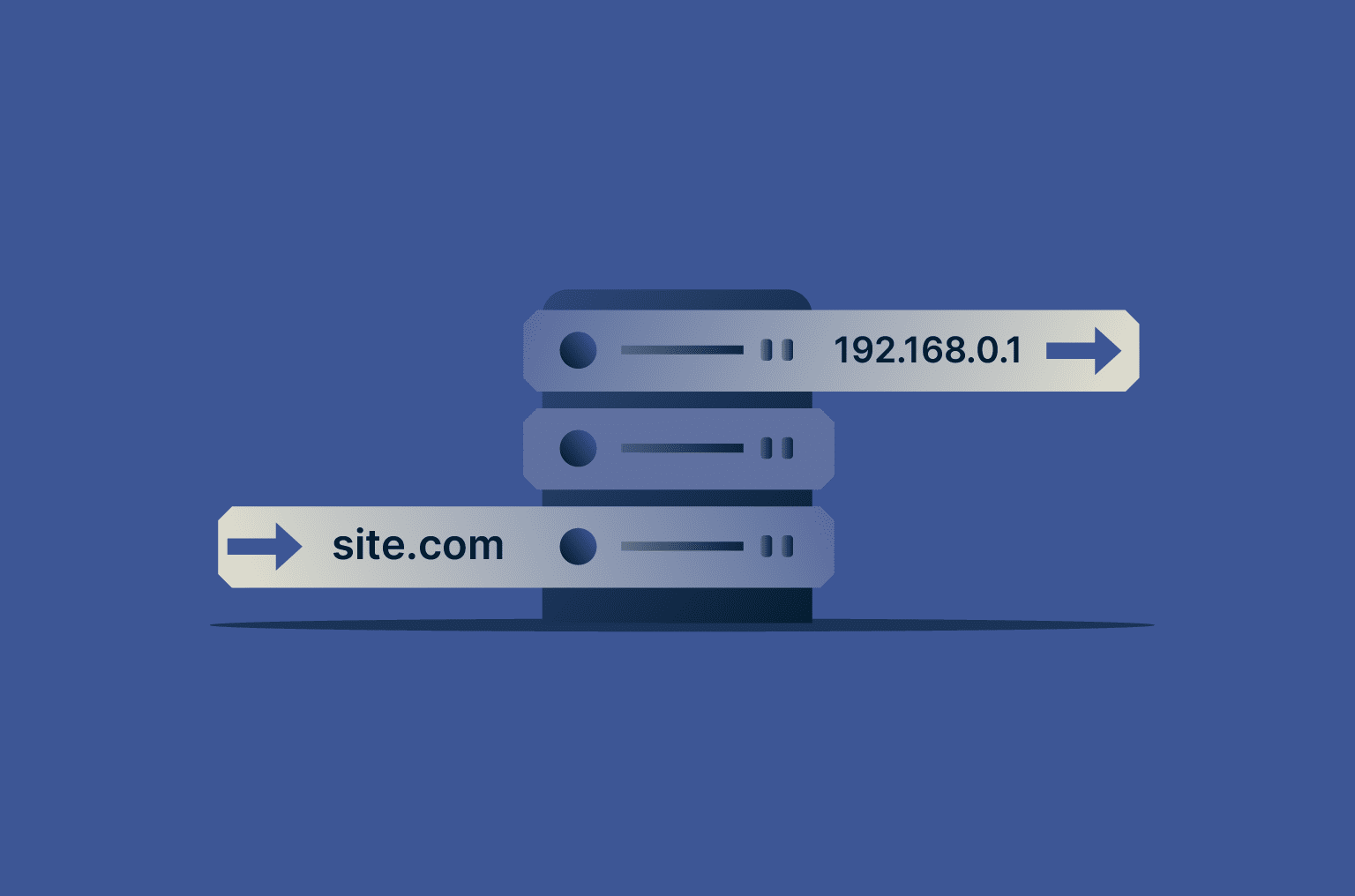
What is a DNS server?
The Domain Name System (DNS) is like the internet’s phonebook. It translates easy-to-remember domain names into the numerical IP addresses that computers use to communicate.
DNS servers are machines dedicated to answering DNS queries, forming the backbone of the system. There are various kinds of DNS servers, like recursive DNS resolvers, root name servers, and top-level domain (TLD) servers, all of which play a key part in how devices connect to websites.
Why do DNS servers matter in everyday browsing?
DNS servers matter because they eliminate the need to remember numeric IP addresses by translating domain names into the correct addresses automatically.
How does a DNS server work?
DNS servers work through a process called DNS resolution, which involves multiple kinds of DNS servers and consists of the following steps: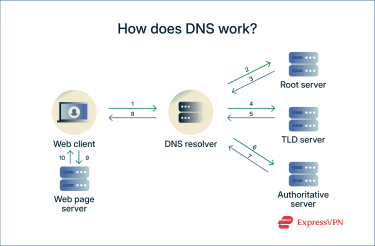
Browser request
When a user types a URL into their browser, their computer first checks its local cache to see if it already knows the IP address. If it does, it skips the rest of the process and accesses the website. If not, it forwards the request onto the recursive DNS resolver (1).
Recursive DNS resolver
The system sends a request to the recursive DNS resolver, which is often managed by the user’s internet service provider (ISP) or a third-party provider like Google. DNS resolvers act on behalf of the client and are tasked with finding the corresponding IP address for a domain name. If the resolver doesn’t find the IP address, the request is passed to the root name server (2).
Root name server
Root name servers are at the highest level in the DNS hierarchy. While they don’t know the full IP address, they can direct the resolver (3, 4) to the correct top-level domain (TLD) server (e.g., .com, .org, or .net).
TLD name server
TLD servers direct the recursive resolver to the authoritative DNS server of the domain that they’re looking for (5, 6).
Authoritative DNS server
These servers hold the official record for the domain and provide the correct IP address to the recursive resolver (7).
Response and caching
The recursive resolver sends the IP address back to the requesting device (8).
Website loads
The browser uses the IP address to connect to the website’s server (9), and the website loads (10).
What is DNS caching?
DNS caching allows operating systems, browsers, and DNS servers to temporarily store recently resolved IP addresses. This speeds up repeat visits by skipping the full DNS lookup process.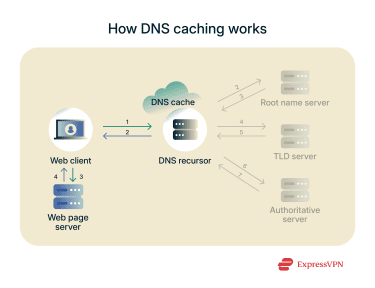
DNS security threats
There are several ways the process of DNS resolution can be exploited and manipulated by malicious actors.
DNS cache poisoning
Cache poisoning is when an attacker injects false information into a DNS server’s cache, redirecting traffic to malicious websites instead of the intended ones.
DNS hijacking and credential theft
DNS hijacking occurs when an attacker manipulates a domain’s DNS resolution process so that traffic is redirected to malicious websites. This can happen if the attacker compromises a DNS server, alters DNS records at the registrar (for example, by stealing the domain owner’s login credentials for the control panel where they set their authoritative DNS records), or infects a device or network with malware that overrides DNS settings.
As a result, when someone types the legitimate domain name into their browser, they may be sent to a fraudulent site designed to steal credentials, distribute malware, or carry out other attacks.
Amplification attacks and tunneling
An amplification attack is a type of distributed denial-of-service (DDoS) attack that exploits the DNS protocol to flood a target with unnecessary web traffic. Attackers send a small, spoofed query to a DNS resolver, tricking it into responding with a much larger data packet to the target’s IP address, thus “amplifying” the attack's volume.
DNS tunneling attacks work by encoding malicious data inside DNS queries, allowing them to bypass network firewalls and other security measures because it’s hard to distinguish malicious traffic from normal DNS activity.
Further reading
- What is my DNS? How to check and find your DNS server
- What is a DNS leak? How to check, fix, and prevent it
- DNS vs. VPN vs. Smart DNS: What’s the difference?
- What is DNS, and how does it work? The Domain Name System explained simply
FAQ
What is the difference between DNS and a DNS server?
The Domain Name System (DNS) translates domain names into IP addresses, whereas a DNS server is a machine that stores and provides the data necessary for this translation.
How can I find out which DNS server I’m using?
You can find the Domain Name System (DNS) server you're using by checking your computer's network settings or by using an online tool like our DNS leak test. This tool quickly identifies your current server and can also detect if you're experiencing a DNS leak while using a virtual private network (VPN).
Is it safe to change your DNS server?
Yes. Many users switch from their internet service provider (ISP)’s default Domain Name System (DNS) to public options like Cloudflare or Google Public DNS for faster speeds or privacy. ExpressVPN also provides its own encrypted DNS for added security.