Passphrase vs. password: Which one gives you better security?


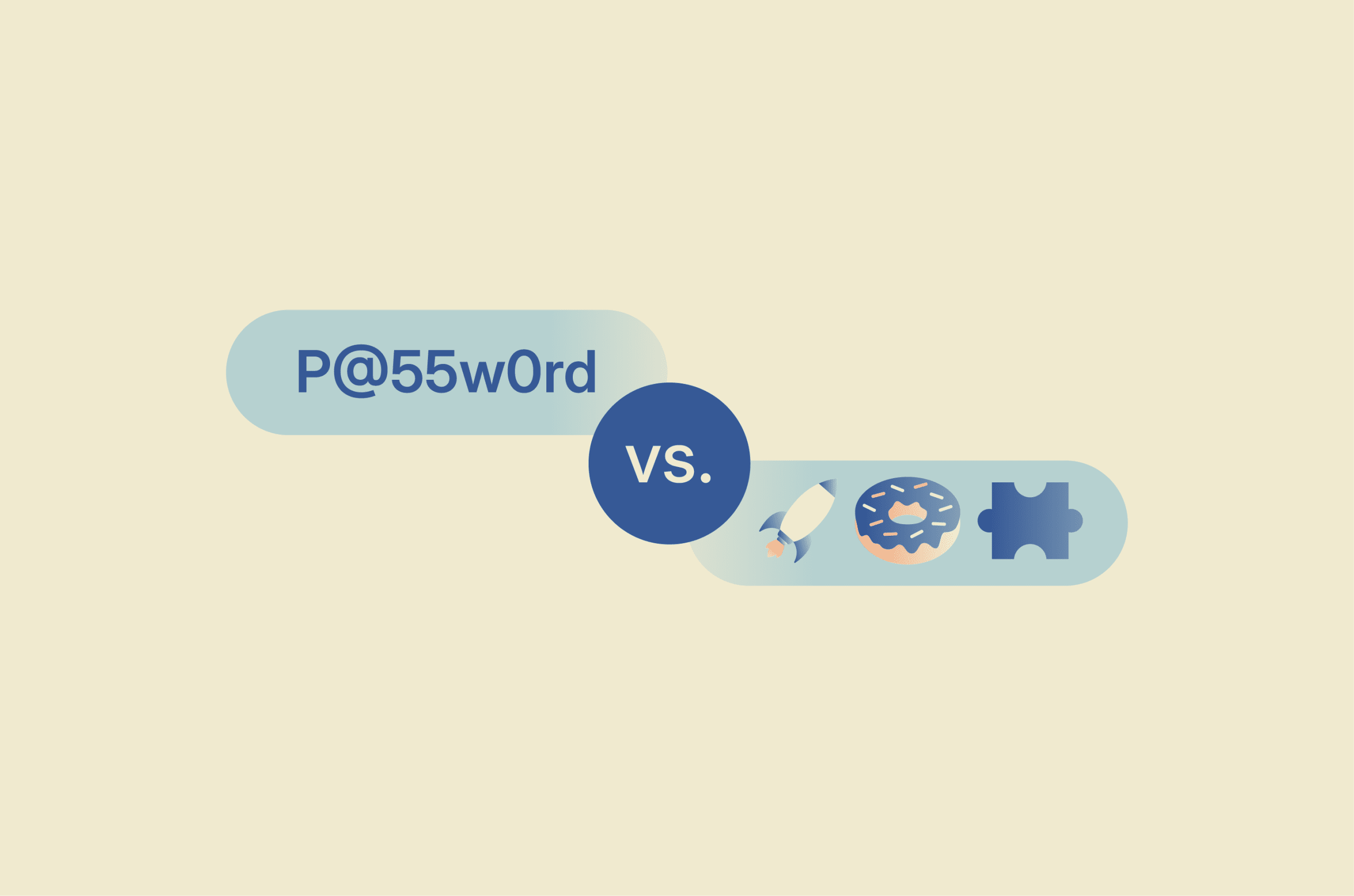
It’s easy to assume that any password is enough to protect your accounts, but not all secrets offer the same level of security. While traditional passwords have long been the standard for signing in, passphrases are now widely recommended as a strong, user-friendly option for memorized logins.
To help you understand the difference, this guide explains what passwords and passphrases are, how they compare in terms of security and usability, and how to create and manage each effectively.
What is a password?
A password is a secret string of characters used to verify identity when signing in to an account or service. When entered, the system checks it against a stored verifier to confirm the user is authorized.
Passwords remain the most widely used form of authentication, either on their own (single-factor) or combined with a second layer of verification such as a one-time code or biometric (multi-factor).
Also read: Password hashing explained: What it is and how it works.
What makes a strong password?
The National Institute of Standards and Technology (NIST) recommends a minimum length of 15 characters. If it is used as part of multi-factor authentication (MFA), a minimum of eight characters may be allowed.
Historically, many organizations required passwords to include uppercase letters, lowercase letters, numbers, and symbols. While mixing character types can expand the search space, mandatory complexity rules often push people toward predictable patterns. NIST now says verifiers should not require these composition rules and should instead allow long passwords, including spaces and Unicode characters, while screening new passwords against blocklists of commonly used or compromised choices.
Also read: How data breaches shaped the way we use passwords today.
What is a passphrase?
A passphrase is usually a longer password made from multiple words, often with spaces. The Canadian Centre for Cyber Security defines a passphrase as a memorized phrase of mixed words and recommends using at least four words and 15 characters.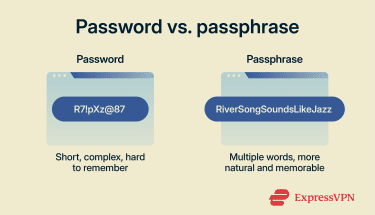
Because each word adds several characters, passphrases often reach 20 characters or more with little effort. That extra length increases entropy: the measure of how unpredictable a secret is, or in practical terms, how many guesses an attacker would need to try before cracking it.
The U.K. National Cyber Security Centre recommends a similar approach: picking 3 random words to create a password that is both strong enough to resist attacks and easy enough to remember. The key is randomness: unrelated words are stronger than a meaningful phrase, quote, or lyric
From the system's perspective, a passphrase is processed no differently from any other password, but its structure lets you achieve length without resorting to awkward character substitutions.
Also read: How often should you change your passwords?
How to create a strong passphrase
One practical way to improve randomness is the Diceware method. You roll five dice, combine the numbers into a five-digit sequence, and look up the matching word on a numbered list. The Electronic Frontier Foundation (EFF) publishes a word list designed for this purpose, containing 7,776 words.
Because the selection is driven entirely by dice rolls rather than personal choice, it avoids predictable patterns and biases people naturally fall into when picking words on their own. Four to six words selected this way can create a passphrase that is highly unpredictable and often easier to remember than a short, complex password.
Passphrase vs. password: Key differences
| Aspect | Password | Passphrase |
| Structure | A string of mixed characters (letters, numbers, symbols) | Multiple words grouped together, with or without spaces |
| Typical length | 8–15 characters | 15+ characters |
| Memorability | Short, complex strings can be harder to recall, which may lead to weaker or reused passwords | Random words are often easier to remember than a short mixed-character string |
| Resistance to guessing | Adding complexity to a short password helps. Hive Systems' 2025 data suggests that an 8-character lowercase password can be cracked in about 3 weeks on high-end consumer hardware, while adding mixed case and symbols extends that to around 164 years. | Length does the heavy lifting. Under the same conditions, an 18-character lowercase string, roughly the length of a three- or four-word passphrase, would take billions of years to brute-force. No special characters needed. |
When to use a passphrase
Knowing when to use a passphrase helps you balance security and convenience. In many cases, a well‑constructed passphrase is the ideal choice. However, other situations may call for a more traditional approach.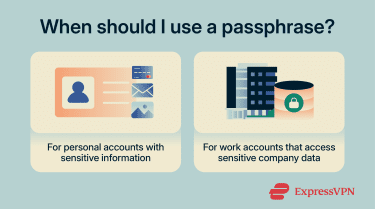
Personal accounts
For personal services such as email, social media, streaming platforms, and online shopping, passphrases can be a strong option and are often easier to manage than short, complex passwords. These accounts often hold sensitive data (including messages, photos, and payment information) and are attractive targets for attackers.
Each personal account should have its own secret. Attackers regularly test credentials that were breached at one service against other sites (credential stuffing) in hopes of gaining broader access.
Work accounts
For work accounts, passphrases are best used wherever your organisation allows long, memorable secrets, especially for email, collaboration tools, internal portals, and other systems that protect business data.
Using a unique passphrase for each work account also helps reduce the risk that one compromised login could expose other business services, potentially affecting internal operations, partners, or customers.
Workplaces should also require a second authentication factor, such as a hardware token, authenticator app, or biometric. This is especially important for defending against business email compromise (BEC) scams, where attackers use convincing phishing emails to harvest company credentials.
When a passphrase may not work
Some services still limit password length or reject spaces, which can make passphrases harder to use. For example, a site may impose a 16-character limit, preventing a longer phrase.
In those cases, a random password generated by a password manager is still a strong option. MFA can also add another layer of protection by requiring a second authentication method in addition to the password.
Common password and passphrase mistakes
Understanding common password and passphrase pitfalls helps you avoid them. The following behaviours weaken your password and passphrase security: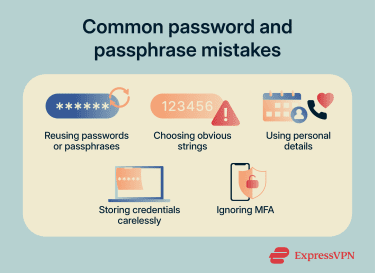
- Reusing credentials: Using the same secret across multiple services means a breach on one platform can put other accounts at risk. Verizon's 2025 Data Breach Investigations Report (DBIR) found that, in the median case, only 49% of a user’s passwords were distinct across services, and compromised credentials were the initial access vector in 22% of breaches reviewed.
- Choosing short or obvious strings: Short secrets and common patterns like “123456” or “password” consistently top the list of most commonly used credentials year after year and can be cracked almost instantly. Length, randomness, and uniqueness all matter.
- Including personal details: Names, birthdays, pet names, and favourite teams are among the first things an attacker will try, especially when that information is publicly available on social media.
- Careless storage: Writing passphrases on sticky notes, storing them in plain-text files, or sending them by email can expose them.
- Ignoring MFA: MFA adds a second barrier beyond your secret and helps reduce the risk of account compromise, especially when credentials are stolen
How to store passwords and passphrases safely
Creating strong secrets is only part of the challenge; storing them securely is equally important.
Are password managers safe?
Password managers store user credentials in encrypted vaults protected by a master secret. They can generate strong, unique passwords, autofill logins, and sync across devices, which helps reduce password reuse and makes strong credentials easier to use. Some options, such as ExpressKeys, also include features like password health checks and have built-in time-based one-time passwords (TOTP) generation.
However, like any security tool, a password manager isn't foolproof. They also centralize access to many accounts. If the master passphrase or an unlocked device is compromised, multiple stored credentials could be put at risk. To reduce this risk, use a reputable manager, enable MFA wherever possible, and choose a long, unique master passphrase.
To reduce reliance on passwords, many services and password managers now support passkeys. Passkeys use cryptographic key pairs for phishing-resistant authentication and are designed to replace passwords in supported sign-in flows, though many accounts still support both methods during the transition.
Also read: Password attacks: Common types and how to prevent them.
Is browser storage safe?
Browsers offer convenient built-in password storage. Dedicated password managers often offer more advanced features and controls, including broader cross-platform support, vault management, and additional security tools such as breach alerts. A compromised device or a malicious browser extension can also more easily expose saved credentials when they're stored in the browser.
However, modern browser-based managers can still provide meaningful protections, including encryption and compromised-password warnings. If browser storage is used, enable the available security features and secure the device itself with a strong login and full-disk encryption.
FAQ: Common questions about passphrases vs. passwords
Is a passphrase better than a password?
How long should a passphrase be?
Can a passphrase include spaces?
Should I use a different passphrase for every account?
What if a website limits passphrase length?
Do passphrases work better with two-factor authentication?
Are passphrases easier to use on mobile devices?
Can attackers crack passphrases using a dictionary attack?
Take the first step to protect yourself online. Try ExpressVPN risk-free.
Get ExpressVPN