Is BeReal safe for kids? What every parent should know


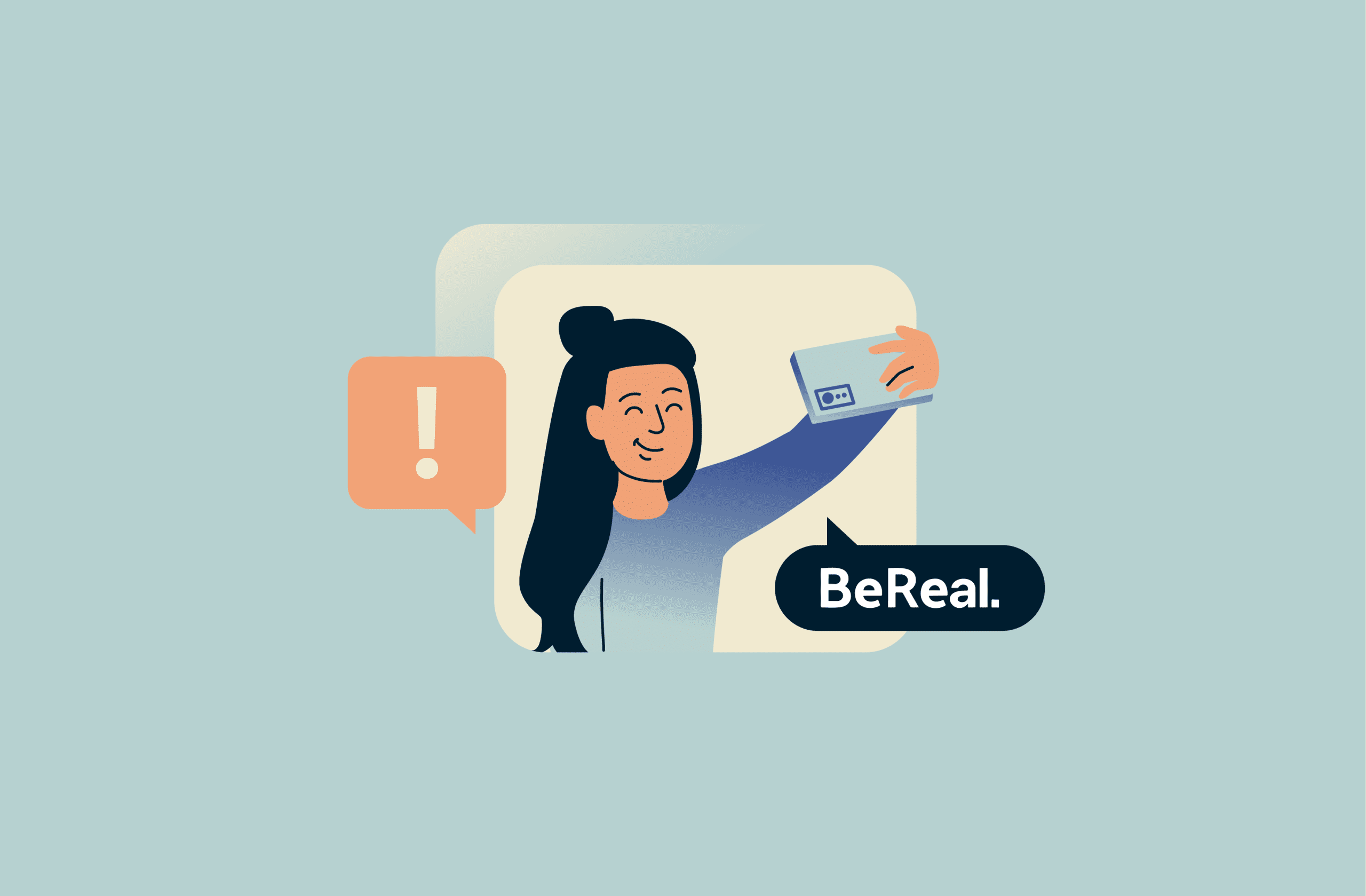
BeReal is a photo-sharing app known for prompting users to post unedited photos in real time. For parents, spur-of-the-moment sharing can raise real questions about privacy, safety, and what their children might be revealing online without even realizing it.
In this article, you’ll learn how BeReal works, what safety concerns you should be aware of, and the steps you can take to help your child use the app more safely.
Understanding BeReal: What parents need to know
BeReal encourages users to show an unfiltered snapshot of their life each day. The app limits how often users post, encouraging one main post per day, and does not allow filters or editing. This approach aims to reduce the pressure to look perfect and focus more on everyday moments rather than staged images.
How does BeReal work?
Once a day at a random time, BeReal sends a notification that says “Time to BeReal.” When you see this notification, you have a two-minute window to take and post a photo of what you’re doing right then. The app captures a picture from both your front and back cameras, giving your friends a view of what you are doing and how you look in that moment.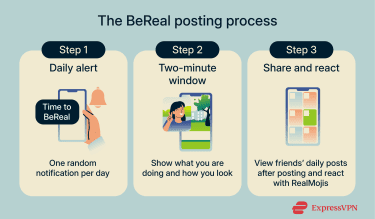
You can’t see the day’s new feed until you share that day’s BeReal. If you post late or retake a photo, the app clearly labels it for others to see, which is meant to encourage authentic sharing over staged content.
If you post on time, you have the option to post two Bonus BeReals. Unlike your original BeReal, you can delete and repost these extras as much as you want.
BeReal lets you capture and share an optional Behind-the-Scenes (BTS) video showing the moments just before your post. You can also choose to share the song you’re listening to at the moment you take your BeReal.
You can’t simply like a post; instead, you react to friends’ posts using emojis or selfies (also called RealMojis), or leave a comment.
Is BeReal safe for kids and teens?
BeReal shares some common social media risks because it focuses on real-time photo sharing and letting users connect with others. The app leaves some choices up to each user, including how much personal info they share, whether they share their location, and who gets to see their posts. For instance, users can choose to make their BeReal visible only to friends, friends of friends, or everyone.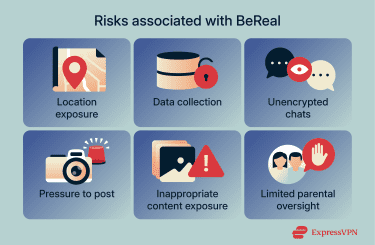
Data collection
According to BeReal’s Privacy Policy, it collects a range of data about users that includes a user’s phone number, name, date of birth, and username. If the user is under 16, parental or guardian approval is required to complete the account setup.
The app also gathers technical data like device type, IP address, unique identifiers, and usage patterns. BeReal uses this information to operate the app, improve features, tailor services and advertising, and meet legal requirements. It may also share data with its parent company, Voodoo, and other partners, where user consent is required.
Location sharing
Location sharing is turned off by default. If you turn it on, you can choose to share either an approximate location (such as the city) or a precise location (down to the street). Many families choose to keep this feature off or restrict it to trusted friends.
Chat message privacy
BeReal stores messages, photos, and videos that users send through its chat feature. When users choose to use chat, this content is collected as part of the app’s data, which means BeReal processes and can access the content users exchange with friends.
BeReal’s Privacy Policy does not state that chat messages are protected with end-to-end encryption (E2EE). This means BeReal can access chat content when necessary for service operation, moderation, or safety purposes, rather than messages being readable only by the sender and recipient.
Oversharing and social pressure
BeReal’s daily photo prompt may push users to post quickly within a short window. This urgency could make kids share personal moments or details they wouldn’t normally show online.
Because the app shows real-life moments from friends, teens may feel pressure to participate even when they are not comfortable doing so. This pressure might lead to oversharing.
Exposure to inappropriate content
BeReal’s Community Standards forbid dangerous or harmful content, including bullying, exploitation, and non-consensual nudity. Its Non-Consensual Nudity Policy explicitly prohibits sending sexually explicit content to someone who has not consented. This rule specifically includes minors, meaning that nude or sexual images may never be shared with minors on the platform.
BeReal age ratings and safety policies
BeReal’s Privacy Policy clearly states the app is not meant for children under 13 years old. For users aged 13 to 16, parental approval is required before creating an account. In addition, the Privacy Policy states that if you are under the age of consent in your country, a parent or guardian may have to provide consent to use the app.
BeReal also states it doesn’t knowingly collect personal information from children under 13 and asks that younger kids do not use the platform at all.
Parental controls and safety tips
Keeping kids safe online requires more than knowing the risks of BeReal. Because the app does not offer built‑in controls for parents, families often rely on other strategies and tools to manage online safety.
Can you set parental controls on BeReal?
BeReal does not have any built‑in parental control features that let you manage or restrict how your kids use the app. Kids can block or hide specific users, choose who sees their posts, and report inappropriate content. These options help manage some risks, but users still need to take action themselves.
How to monitor your child’s BeReal usage
Because you cannot control BeReal from your own account, parental monitoring often starts with simple shared steps. One option is to follow your child on BeReal as a friend so you can see the same posts they see and react to them together.
Another approach is to check your child’s device directly. This means reviewing BeReal notifications, posts, and settings with your child nearby so you can guide them on safe habits. Open conversations about what they share and who they interact with will help you understand their usage and concerns.
You can also encourage your child to use the app’s privacy options carefully by choosing friends over public sharing and keeping location sharing off when posting.
Tools and apps to support safe usage
You can use device‑level controls to help manage your child’s screen time and online behavior. For example, iPhones offer parental controls like Screen Time, which lets you set daily limits for specific apps, schedule downtime, and see detailed reports on app usage.
Android devices have Digital Wellbeing, which allows similar controls such as app timers, focus mode to block distractions, and activity dashboards to monitor usage.
You can also consider dedicated parental control apps, which monitor overall device use, track time spent on apps, and send alerts. At the network level, tools like ExpressVPN’s adult-site blocker can also help reduce exposure to explicit content by blocking known porn sites across supported devices. These tools do not replace having conversations with your child, but give a clearer picture of their online habits and can help you enforce safe limits.
How to talk to your child about BeReal
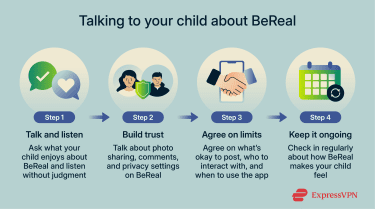 Here are a few tips for discussing privacy, respect, and boundaries with your kids in a way that keeps communication open and builds long-term trust:
- Choose the right moment: Pick a relaxed time to talk. Don’t start the conversation when your child feels accused or defensive.
- Show you want to listen: Ask your child what they like about BeReal and how they use it. Let them explain before aayou share your thoughts.
- Share your own experiences: Talk about your own online habits. Be honest about things that helped you and things that were hard.
- Teach respect and good behavior: Explain that kindness online matters. Help your child think about how their posts affect others, especially when they include someone in their BeReal post without permission.
- Talk about privacy and safety: Remind them that anything shared online can stay around forever and others may see it.
- Keep conversations going: Make this a regular discussion, not a one‑time lecture. Ask how BeReal makes them feel over time.
- Stay calm and open: If your child shares something concerning, stay calm and encourage them to continue talking.
FAQ: Common questions about BeReal safety for kids
Can BeReal be made private?
Yes, you can make your BeReal posts visible only to friends.
How do I talk to my kids about social media?
Talk with your children regularly about privacy and safe sharing on social media. Make sure they understand why personal information and location should stay private.
What are alternatives to BeReal?
If you’re looking for social media apps designed specifically for kids, alternatives to BeReal include apps like Zigazoo, which vets content and requires parental approval for accounts and communities. Kinzoo Messenger is another option that lets kids share photos and messages only with family and friends in a more protected environment.
Is there a way to track my child’s BeReal activity?
No, the BeReal app does not include built‑in tracking tools that let you monitor your child’s activity. You need to review the app directly with your child, customize device‑level controls, or use a dedicated parent control app to monitor overall usage.
Does a VPN make BeReal safer for kids?
No. A virtual private network (VPN) protects internet traffic in transit but does not change who can see posts, how content is shared, or how data is handled within BeReal’s platform.
Take the first step to protect yourself online. Try ExpressVPN risk-free.
Get ExpressVPN